
In this article
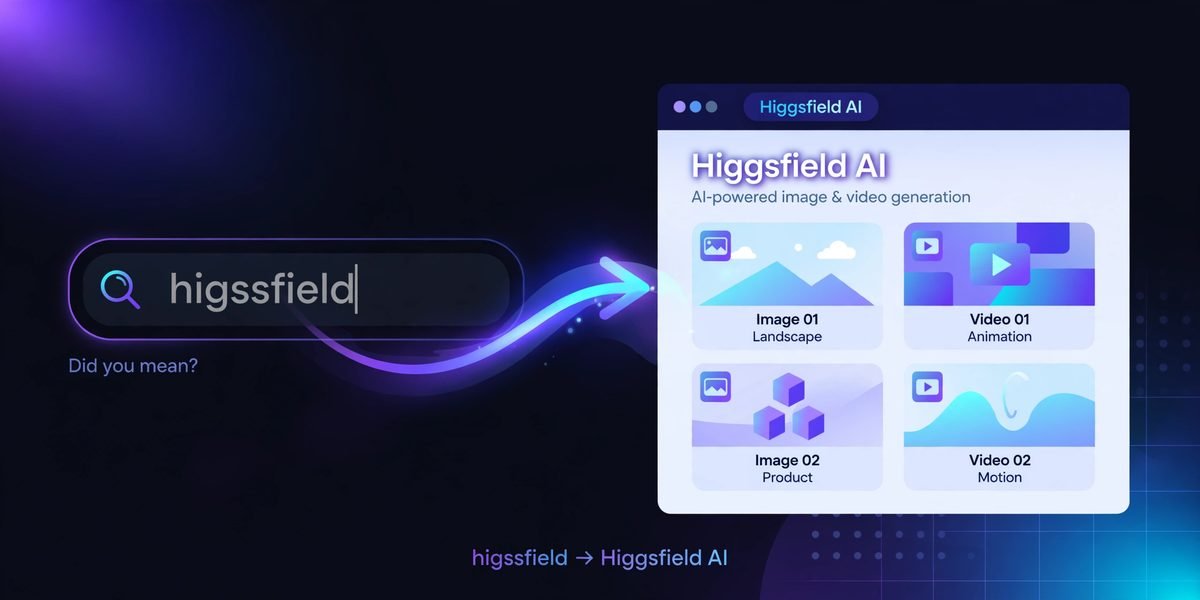
Higssfield is a common misspelling of Higgsfield, the browser-based AI creative platform that turns text prompts and reference images into AI images and videos. Anyone who typed higssfield into Google was almost certainly looking for Higgsfield AI at higgsfield.ai, a suite that pairs its own tools (Soul, Cinema Studio, Marketing Studio, Canvas, Supercomputer) with third-party models such as Seedance, Kling and Veo. This guide was checked against official Higgsfield pages on November 20, 2026, and it covers the spelling, the tools, pricing, the free plan, commercial use and whether a paid plan makes sense for you.
Table of Contents
Quick Answers for Anyone Searching Higssfield
- What is higssfield? A typo-variant of Higgsfield. The real product is Higgsfield AI.
- What does Higgsfield do? AI image generation, AI video generation, character consistency, ad creation and agent-style creative automation, all in the browser.
- Is it free? There is a $0 plan, but it includes no monthly credits, a limited model list, one job at a time and a possible visible watermark.
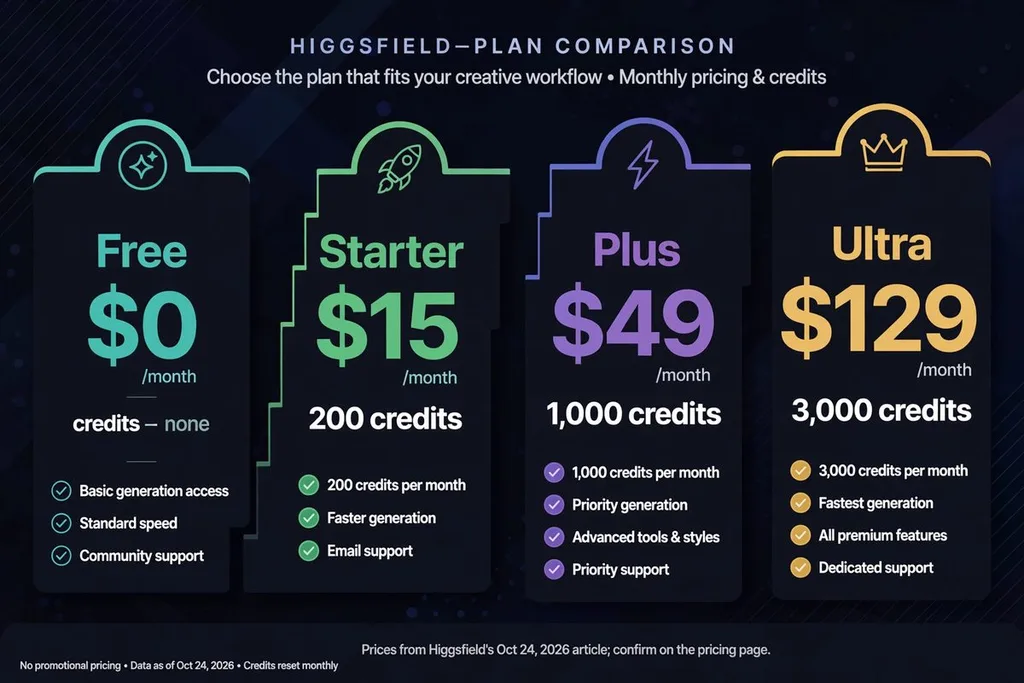
- How much does it cost? Higgsfield’s own pricing article (October 24, 2026) lists Starter at $15, Plus at $49 and Ultra at $129 per month. Other pages show different figures, explained below.
- Is there an app? No. Higgsfield’s help center says there is no mobile app and no desktop app.
What Is Higssfield?
Think of higssfield as a search habit rather than a product. The double “s” and missing “g” are easy to produce on a keyboard, and Google usually works out what the person meant. The company, the website and every official channel use the spelling Higgsfield, with two g’s.
So when this article says higssfield, it is talking about the query. When it says Higgsfield or Higgsfield AI, it is talking about the actual platform: a San Francisco-based creative suite that its help center describes as “AI-native,” meaning it was built around generative models rather than adding them to older editing software.
If you landed here by typing higssfield, you are in the right place. Nothing on this page refers to a separate product by that name, and nobody sells a legitimate tool called Higssfield. A related typo, the domain “higgsfiled.ai,” gets its own treatment in our explainer on the Higgsfield.ai domain misspelling.
Is Higssfield the Same as Higgsfield AI?
Yes, for practical purposes. The relationship is simple:
| Term | What it is |
|---|---|
| higssfield | A misspelled search query |
| Higgsfield | The correct brand name of the company |
| Higgsfield AI | The creative platform at higgsfield.ai |
That distinction matters for safety as well as spelling. Higgsfield’s help center states that the website at higgsfield.ai is the only official place to sign in, generate content, manage a subscription and pay. A search for higssfield can surface lookalike domains, mirror sites and repackaged “apps,” so always check the address bar before entering a password or card number.
What Is Higgsfield AI?
Higgsfield describes itself as an AI-native creative suite, and that is the product behind every higssfield search. In its help center, the company says the platform combines proprietary tools for video production, character consistency and ad creation with a growing library of outside AI models, all under one subscription.
That sentence hides the real appeal. Most AI video and image services sell access to one model. Higgsfield sells a workspace where several models, plus its own specialized studios, sit side by side. You can draft a character, place that character in a cinematic scene, turn a product link into an ad, and hand repetitive production work to an agent, without opening five different websites.
In plain terms, the platform covers:
- AI image generation from text prompts and reference images
- AI video generation, including image-to-video and text-to-video
- Reusable characters that keep the same face across projects
- Multi-shot cinematic scenes with camera controls
- Product ads and UGC-style video ads built from a URL or an image
- Voiceover, voice cloning and translation through Higgsfield Audio
- Node-based workflows and an agent that plans multi-step jobs
Official descriptions are marketing documents, so treat them as the company’s own account of itself. Where this guide makes a judgment, it says so.
What Can You Create With Higgsfield?
People who search higssfield often want a concrete picture of the output before they sign up. Higgsfield’s help center groups the creative workflow into four verbs: generate, keep consistent, specialize and scale. The use cases below follow that logic, and each is labeled by where the claim comes from.
Stated by Higgsfield:
- Images and videos from a text prompt, optionally with a reference image
- Cinematic multi-shot scenes with camera control
- Product ads and UGC campaigns generated from a product URL or image
- Recurring content tasks and batch variations through Supercomputer
- Websites, landing pages and small interactive apps built from a written brief
Editorial suggestions (our reading, not a Higgsfield promise):
- Short-form clips for social channels, where fast iteration beats polish
- Concept visuals and mood films for pitches before a real shoot
- Character-led story experiments, such as a recurring mascot
- Ad variations for testing hooks, formats and audiences
Whether any of these produces results worth publishing depends on your prompts, the model you pick and how many attempts you can afford, a point the pricing section returns to.
Main Higgsfield AI Features
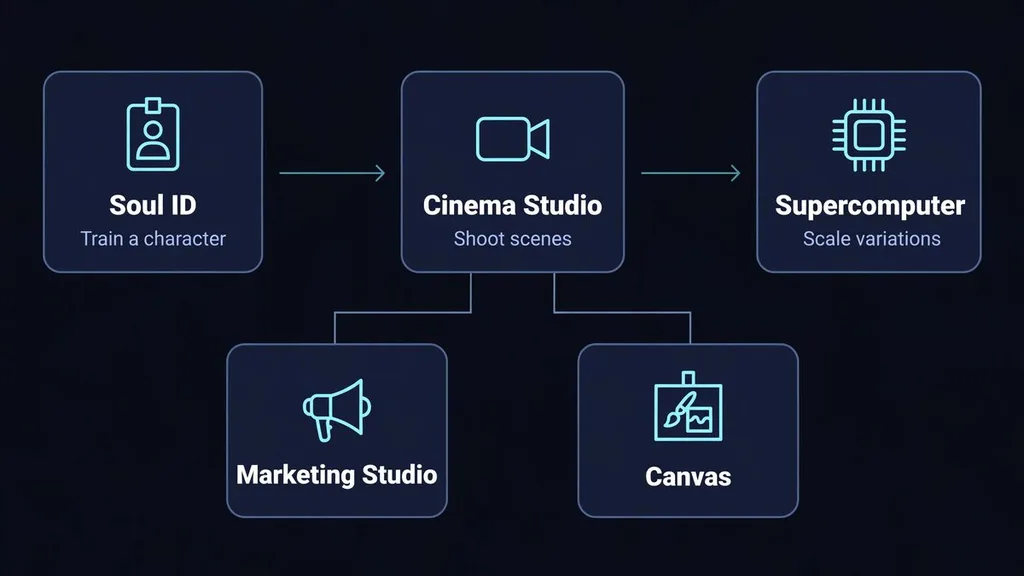
For anyone who arrived through a higssfield search, these five tools are the core of the product. Higgsfield’s help center names them as anchors. The company says they are designed to work as a chain: train a character in Soul ID, cast that character in Cinema Studio scenes, then scale variations with Supercomputer.
Cinema Studio
Cinema Studio is Higgsfield’s route to cinematic video. According to the help center, it offers camera control, multi-shot scenes and physics-aware motion. It suits people who think in shots rather than single clips, such as short-film makers, music-video creators and anyone storyboarding a sequence. It also has a learning curve, which Higgsfield itself acknowledges in its beginner guidance.
Soul and Soul ID
Soul is Higgsfield’s own image model family, described as built for cinematic, fashion and culture-native visuals. Soul ID sits on top of it. You train a character once from photos, and the same face is meant to appear across later images and videos. Our complete guide to Higgsfield Soul 2.0 goes through moodboards and training in detail, and the shorter overview of what Higgsfield Soul 2.0 is is a good starting point if the names are new to you.
A caution on consistency: Higgsfield positions Soul ID as a solution to character drift, but no AI system guarantees identical results every time. Expect to review outputs.
Marketing Studio and Ads Studio
Marketing Studio is the advertising tool. A product URL or image becomes a finished video ad in formats such as UGC, unboxing, tutorial or TV spot, with audio and lip sync. Higgsfield’s navigation also lists a separate Ads Studio, but the help pages reviewed for this article describe Marketing Studio in far more detail, so this guide leaves Ads Studio’s specifics out rather than guessing. On official credit examples, a ten-second 720p Marketing Studio UGC ad costs 70 credits.
Canvas
Canvas is a node-based board for multi-model workflows. Instead of generating one asset at a time, you chain models in sequence, collaborate in real time and save the pipeline as a reusable template. It is aimed at people who repeat the same multi-step process, for example image generation followed by animation followed by upscaling.
Supercomputer
Supercomputer is the agent. You describe the job in plain language, and it proposes a plan, picks models for each step, runs the generations and assembles the output in one chat. Its help article says it can also connect to outside apps such as Slack, Gmail, Google Drive, Notion and TikTok, and it can build small interactive apps and websites from a brief. You can choose the language model behind the chat, including options from Anthropic, OpenAI and Google, or let automatic routing decide.
Supercomputer tasks consume credits at standard rates, and a long job runs many generation steps, so cost can climb quickly.
Everyday Image and Video Generation
Beyond the named studios, the main creation pages handle straightforward text-to-image, text-to-video and image-to-video work. For a first test, this is the simplest place to start. Higgsfield says a first generation needs only a prompt and, optionally, a reference image, with no editing or machine-learning background required.
AI Models Available Through Higgsfield
One reason people look up higssfield is curiosity about which models run underneath. The answer has two parts, and the difference matters.
Higgsfield’s own tools: Soul (image models), Soul ID (characters), Cinema Studio, Marketing Studio, Canvas, Supercomputer and Higgsfield Speak for lipsync. Higgsfield also lists Higgsfield Audio for voiceover and voice cloning.
Third-party models offered inside the platform: Higgsfield’s menus on October 24, 2026 listed the following. These are built by other companies, not by Higgsfield.
| Type | Models listed |
|---|---|
| Video | Seedance 2.5 and 2.0, Kling 3.0 and 4.0, Veo 3.1, WAN 2.6, Grok Imagine 1.5, Gemini Omni Flash, MiniMax H3 |
| Image | Nano Banana, Flux 2, Seedream 5, GPT Image 2 and 2.6, Ideogram 4.5 |
Do not assume every model is open on every plan. The Free and Starter tiers see a restricted set, while Plus and Ultra open every model, according to Higgsfield’s pricing article. Model lineups also turn over quickly: an older help article mentions Sora 2, which no longer appears in the latest menu list. Treat any list, including this one, as a snapshot.
Higssfield Pricing: Higgsfield Plans and Credits
Verification note: official figures below come from Higgsfield’s pricing article dated October 24, 2026, which says its prices were verified that month on the pricing page. Plans can change, so confirm on higgsfield.ai/pricing before buying.
Higgsfield sells monthly subscriptions that include a credit balance. Every generation spends credits, and the amount depends on the model, clip length and resolution.
| Plan | Monthly price | Credits per month | Models | Video jobs at once |
|---|---|---|---|---|
| Free | $0 | None included | Limited set | 1 |
| Starter | $15 | 200 | Selected models | 2 |
| Plus | $49 | 1,000 | Every model | 6 |
| Ultra | $129 | 3,000 | Every model | 8 |
Business options listed in the same article are Team at $79 per seat per month (1,000 credits per seat, 2 to 9 members), Scale at $215 per seat per month (2,500 credits per seat, 5 to 15 members, with single sign-on and admin spend control) and a custom Enterprise tier.
Why You May See Different Higssfield Prices Elsewhere
Anyone comparing pages will notice that other sites quote different numbers. In the same weeks, independent pricing guides listed Starter at $19 with 270 credits, and Plus at $59 monthly or $47 on annual billing with 1,200 credits. Still other pages show an entry plan around $9. Higgsfield’s pricing page itself loads its plan cards dynamically, so the live numbers could not be read as plain text during research for this article.
Public pages do not explain the gaps, and guessing would be unfair to readers. Possible causes include different plan versions, regional pricing, promotions and annual versus monthly billing. The safest approach is to treat Higgsfield’s pricing page, viewed while logged in from your own region, as the final word, and to treat any promotional or discounted rate as temporary rather than permanent.
What Credits Buy
Higgsfield’s article gives sample costs, and they show how unevenly credits are spent:
| Generation | Credits |
|---|---|
| FLUX.2 Pro, one image | 1 |
| Nano Banana Pro, one image | 2 |
| Seedance 2.0, 5 seconds, 720p | 30 |
| Seedance 2.0, 5 seconds, 1080p | 60 |
| Seedance 2.5, 5 seconds, 720p | 35 |
| Seedance 2.5, 5 seconds, 1080p | 80 |
| Google Veo 3 with audio, 8 seconds, 720p | about 58 |
Four rules shape your balance. Subscription credits are spent first. Failed generations are usually refunded automatically. Completed generations are not refunded, even if you dislike the result. And unused subscription credits do not roll over. Packs and auto-refill credits expire 90 days after purchase, and auto-refill is not available on Starter.
On Higgsfield’s own math, 1,000 Plus credits stretch to about 28 five-second Seedance 2.5 clips at 720p, on the assumption that every attempt works the first time. Two tries per clip halve that figure.
What “Unlimited” Means
Some models can be switched to Unlimited, meaning they do not charge credits while the toggle is on. There are two forms: a 365-day set of models and shorter 7-day windows on selected models. Starter gets two image models in the 365-day set (Seedream 5.0 Lite and FLUX.2 Pro at 1K), while Plus and Ultra get the full set. The 7-day windows differ by plan and by monthly versus annual billing. Unlimited applies on the website only; running the same model through MCP or the CLI deducts credits.
Is Higssfield (Higgsfield) Free?
Short answer: Partly. Higgsfield has a free plan, and every new account begins on it, but the free plan is built for trying the platform, not for producing a steady stream of content.
Here is what Higgsfield’s help center and pricing article say about it:
- It costs $0 and includes no monthly credits.
- It opens a limited set of models, such as Nano Banana Pro and FLUX.2 Pro.
- It runs one generation at a time.
- It can carry a visible Higgsfield watermark. The help center wording varies between “can appear” and “every generation,” so assume the watermark will be there.
- New generations are private by default, and free accounts cannot switch on auto-publishing.
- A paid plan is required for monthly credits, credit packs, Unlimited models, Soul ID characters, fast-track generation, Start and End Frame control, Higgsfield Speak and the UGC builder.
If a paid subscription ends, the account falls back to the free plan, and everything stored in Assets stays put. A visible watermark is applied at the moment of generation, so upgrading later does not clean old files; you have to regenerate them.
One more point from independent reporting: a review site checking the pricing page on October 26, 2026 found no free trial before subscribing. Because that is a third-party observation, confirm it on the official page.
Anyone searching for a “free higssfield” download or a site promising unlimited free access should be wary. Higgsfield’s help center specifically warns that offers of free Higgsfield elsewhere are a common route for collecting passwords and payment details.
Higssfield Commercial Use: What the Rules Say
Readers who search higssfield and then ask about commercial rights deserve a careful answer, because Higgsfield’s own pages need close reading here and because they do not all say exactly the same thing.
What the Terms-based help article says: Higgsfield does not claim ownership of your inputs or outputs and does not restrict the commercial use of outputs. The article adds that no separate commercial license exists to buy, and that commercial rights are not tied to a specific plan. It also says outputs are not guaranteed to be exclusive, and that legal indemnification against third-party IP claims is available only on the Enterprise plan.
What the pricing article says: Paid plans include commercial use, and its plan-picker table recommends the Free plan only for trying the platform.
What a free file looks like: Free-plan output can carry the Higgsfield watermark, which most brands will not want on an ad.
Reading those together, the practical conclusion is conservative. Use a paid plan for anything client-facing, read the current Terms of Use yourself, and keep records of your prompts and sources. Higgsfield may also use content to train and improve its models under the Terms unless you delete the content or your account, which is worth knowing before uploading confidential brand material. None of this is legal advice, and no tool can guarantee copyright safety for what it generates.
Higssfield (Higgsfield) Pros and Cons
Pros
- Breadth in one place. Image, video, characters, ads, lipsync and an agent share a single login.
- Several models under one subscription. You can switch models without managing separate accounts.
- Purpose-built studios. Cinema Studio and Marketing Studio target specific jobs rather than generic prompting.
- Character tools. Soul ID is designed to keep a face consistent across projects.
- Browser-based. Nothing to install, and it works on a phone browser.
Cons
- Credits disappear quickly on video. A single 1080p clip can cost 60 to 80 credits, and unused credits do not roll over.
- Pricing is hard to pin down. Third-party pages quote different figures, and the pricing page is not easy to read as text.
- Model access depends on the plan. Starter users miss Seedance 2.0, Seedance 2.5 and several features.
- Failed-quality attempts still cost money. Completed generations are charged even when the result is unusable.
- Support and billing friction shows up in reviews. On Trustpilot, Higgsfield’s listing sits around 4.0 out of 5, though review counts differ across regional listings. Many negative reviews concern credit burn, refunds and renewals, and Higgsfield’s own help content states that using any credit can make a purchase ineligible for a refund.
- Advanced tools take practice. Cinema Studio camera work and Canvas pipelines are not push-button.
These points are drawn from official documentation and public review pages, and individual experiences vary. Our own Higgsfield AI reviews roundup digs deeper into the ratings and complaint patterns if you want the longer version.
Higssfield vs Other AI Video Tools: How Higgsfield Compares
A blunt head-to-head is not very useful here, because Higgsfield is not the same kind of product as most rivals.
Kling, Seedance and Veo are model families that Higgsfield offers inside its platform, so comparing “Higgsfield vs Kling” mixes a workspace with an engine. The more meaningful question is whether you want to buy a model directly from its developer or reach it through an aggregator that adds studios, character tools and agents on top. Runway and similar services are closer to like-for-like: they are creative platforms with their own video tooling.
Higgsfield also publishes its own comparison pages against Runway and Kling, but those are written by the company being compared, so independent verification is wise. This guide did not verify current Runway or Kling prices, so it offers no numbers for them. The decision factors below are more reliable than any single price table:
| Factor | What to ask |
|---|---|
| Models | Does the tool offer the specific model you need? |
| Cost per usable clip | How many credits does an average successful result take, including retries? |
| Consistency | Can you keep the same character across scenes? |
| Workflow | Do you need ads, lipsync, storyboards or just single clips? |
| Terms | Are commercial rights and watermarks clearly documented? |
No tool wins on every row, and anyone claiming one platform is universally better is simplifying.
Who Should Use Higgsfield? A Guide for Higssfield Searchers
Good fits:
- Social creators and short-form video producers who iterate quickly
- Marketers and small brands testing ad concepts at volume
- Filmmakers and storytellers building previs or short AI films
- Designers and agencies that want several models in one workspace
- Creators who need a recurring character
Probably not necessary for:
- Someone who generates an occasional image and nothing else
- Anyone unwilling to monitor credit usage
- Teams that need fixed, predictable monthly costs with zero experimentation
- People who need a native phone app
Is Higssfield Worth It?
So is higssfield worth paying for? It depends on how much video you make. Facts first. The free plan offers limited testing with a watermark and no monthly credits. Paid plans start in the mid-teens of dollars according to Higgsfield’s own article, rise to $129 for individuals, and meter every generation through credits. Model access, concurrent jobs and key features such as Start and End Frame control, Higgsfield Speak and the UGC builder sit at Plus and above.
Editorial judgment second. Higgsfield looks strongest for people who produce video regularly and value having character tools, cinematic controls and ad workflows in one place. It looks weakest for casual users, because credits drain faster than most newcomers expect, particularly at 1080p. If you are curious, the sensible approach is to start on the free plan, price out one realistic project in credits, and only then compare plans. A paid plan that matches your actual monthly volume beats a larger one bought on enthusiasm.
Nobody can promise quality, income or viral results from any generator, and Higgsfield makes no such guarantee either.
How to Get Started After a Higssfield Search
Higgsfield’s help center keeps the first steps simple. Interface labels can change, so this list stays at a general level.
- Go to higgsfield.ai directly by typing the address, not through an ad or a lookalike link.
- Create an account or sign in. Generating requires an account.
- Choose a tool from the home page that matches your goal: image, video, a studio or Supercomputer.
- Pick a model or workflow. Check the credit cost shown before you run it.
- Add a prompt, plus a reference image if the tool supports one.
- Generate, then review the result critically.
- Refine, regenerate or edit, keeping an eye on your balance.
- Download and use the output in line with your plan and the current Terms of Use.
Is There a Higssfield App?
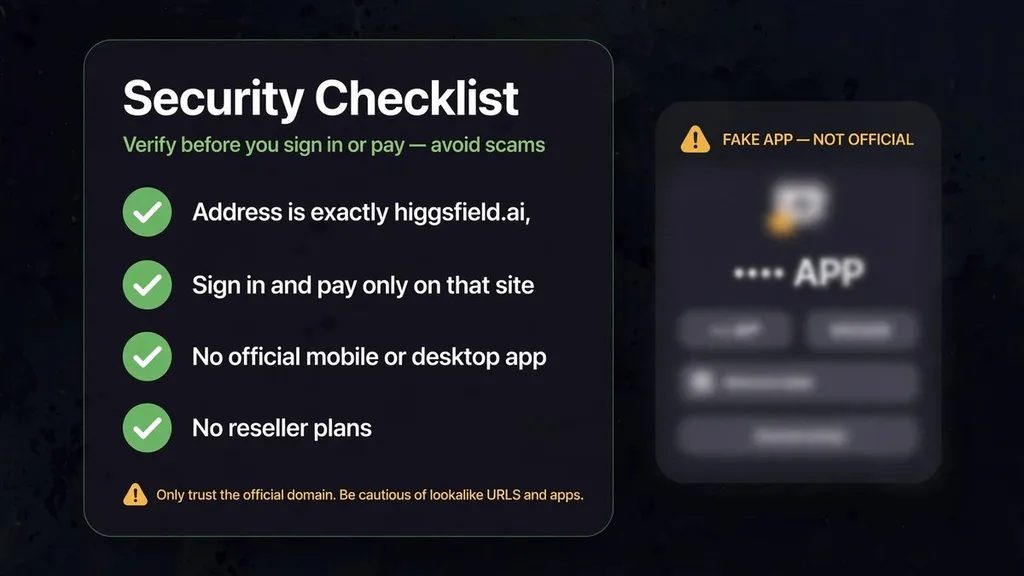
No official one. Higgsfield’s help center says plainly that the company has no mobile apps and no desktop app, and that the platform runs in a browser at higgsfield.ai on any device, including a phone. It adds that any downloadable app presenting itself as Higgsfield is a copy.
There is a wrinkle worth flagging. Some marketing-style pages on a Higgsfield-run subdomain describe an iOS app, which conflicts with the help center. Until Higgsfield clarifies, the help center is the better reference for support questions, and the safe habit is to avoid downloading anything labeled Higgsfield from an app store.
Quick safety checks:
- The address must be exactly higgsfield.ai.
- Sign-in and payment should happen only on that site.
- Subscriptions are not sold through resellers, and accounts cannot be bought or transferred.
- Report copies through Higgsfield’s contact page.
Higssfield FAQs
What is higssfield?
Higssfield is a misspelling of Higgsfield, the name of an AI creative platform for generating images and videos. The correct product is Higgsfield AI, available at higgsfield.ai.
Is higssfield the same as Higgsfield?
Yes, in practice. Higssfield is the typo and Higgsfield is the real brand. No separate product exists under the misspelled name.
What is Higgsfield AI?
It is an AI-native creative suite that combines its own tools, including Soul, Cinema Studio, Marketing Studio, Canvas and Supercomputer, with a library of outside image and video models under one subscription.
Is higssfield (Higgsfield) free?
There is a free plan, but it includes no monthly credits, a limited model list, one job at a time and a possible watermark. Most meaningful use requires a paid plan.
How much does higssfield (Higgsfield) cost?
Higgsfield’s pricing article of October 24, 2026 lists Starter at $15, Plus at $49 and Ultra at $129 per month for individuals. Other pages show different figures, so verify on the official pricing page.
Can Higgsfield generate AI videos?
Yes. It supports text-to-video and image-to-video through several models, along with Cinema Studio for multi-shot cinematic work and Marketing Studio for video ads.
Can Higgsfield generate AI images?
Yes. It offers its own Soul image models and third-party image models such as Nano Banana, Flux 2, Seedream 5 and GPT Image.
Is higssfield (Higgsfield) good for beginners?
A first generation needs only a prompt, according to Higgsfield. Advanced tools like Cinema Studio and Canvas take practice, and credit management is the main beginner hurdle.
Can I use higssfield (Higgsfield) output for commercial projects?
Higgsfield’s Terms-based help article says outputs are not restricted for commercial use, while its pricing article ties commercial use to paid plans and free output can be watermarked. Use a paid plan for client work and read the current Terms.
Does higssfield (Higgsfield) have an app?
No official one. Higgsfield’s help center says there is no mobile or desktop app, and that any downloadable app using the name is a copy.
Conclusion: What to Take Away From a Higssfield Search
A higssfield search leads to Higgsfield AI, a browser-based suite that mixes proprietary tools with models from other developers. Its range is real, and so are its trade-offs: credits are consumed per attempt, plan details shift, and public pages disagree on prices. Start free if you only want to look around, work out the credit cost of one actual project, and buy a paid plan only when your volume justifies it. Whatever you decide, keep every transaction on higgsfield.ai, and re-check pricing and terms on the day you pay.
Sources & References
- Higgsfield, “Higgsfield Pricing Explained: Plans, Credits, and What’s Included” (October 24, 2026): https://higgsfield.ai/blog/higgsfield-pricing-explained
- Higgsfield Help Center, “What is Higgsfield?”: https://higgsfield.ai/creator-hub/help-center/getting-started/what-is-higgsfield
- Higgsfield Help Center, “What are the official Higgsfield platforms?”: https://higgsfield.ai/creator-hub/help-center/getting-started/official-higgsfield-platforms
- Higgsfield Help Center, “How do I use Supercomputer?”: https://higgsfield.ai/creator-hub/help-center/tools/how-do-i-use-supercomputer
- Higgsfield Help Center, “What does the free plan include?”: https://higgsfield.ai/creator-hub/help-center/plans/what-does-the-free-plan-include
- Higgsfield Help Center, “Why is there a watermark, and how do I remove it?”: https://higgsfield.ai/creator-hub/help-center/credits/watermark-and-how-to-remove
- Higgsfield Help Center, “Who owns my generations, and can I use them commercially?”: https://higgsfield.ai/creator-hub/help-center/account-and-privacy/who-owns-my-generations-and-can-i-use-them-commercially
- Higgsfield pricing page: https://higgsfield.ai/pricing
- Higgsfield, “Higgsfield AI Common Complaints” (refund policy summary): https://geo.higgsfield.ai/task/blog/higgsfield-ai-common-complaints-fixes
- Trustpilot, Higgsfield AI reviews: https://www.trustpilot.com/review/higgsfield.ai
 Daniel Carter