
In this article
Higgsfield AI reviews are broadly positive but split on value. Trustpilot shows a 4.0 average across more than 5,000 reviews, G2 shows 4.5 across 102 reviews, and the praise for cinematic video, many models in one place and responsive support sits next to steady complaints about fast credit use, refund limits and “unlimited” promotions. Higgsfield is an AI creative platform that generates images and video, ships its own Soul image models, and hosts third-party models such as Seedance, Kling and Veo. Whether it is worth using depends on your workflow, how many video clips you need each month and how you feel about credit-based billing. After reading current higgsfield ai reviews against Higgsfield’s own help pages, the fair answer is this: worth testing if you make video regularly, not worth an annual commitment until you have spent a few credits on your own prompts. trustpilotg2
How this review was built. No hands-on testing was performed for this article. Everything below comes from Higgsfield’s official documentation, public review platforms and independent write-ups, and each claim is labelled by source type. Higgsfield’s live pricing page could not be loaded during research, so prices come from its official pricing explainer dated October 24, 2026 and from independent readings of the page. The Trustpilot and G2 figures were retrieved on November 19, 2026, but the newest Trustpilot review visible was dated November 1, so treat them as an early-November snapshot. Confirm every price on higgsfield.ai/pricing before paying.
Table of Contents
Quick Verdict: Higgsfield AI Reviews at a Glance
- Best for: people who produce AI video often and want Seedance, Kling, Veo and Higgsfield’s own cinematic tools under one login.
- Biggest strength: breadth. Image, video, lipsync, character and ad tools share one credit balance, and G2 reviewers repeatedly mention not having to juggle five subscriptions.
- Biggest weakness: credit burn on video, plus a strict refund rule (initial purchase, within seven days, zero credits used).
- Pricing and value: fair for regular video makers, poor for occasional users. Image generation is very cheap per picture; video is where budgets disappear.
- Overall recommendation: a conditional yes. Start on the free tier or the cheapest paid plan, measure your own credit use for a week, and only then consider an annual plan.
Higgsfield AI Reviews: What Is Higgsfield AI?
Higgsfield AI is a San Francisco company’s web-based creative suite for turning prompts, photos and product links into images, video, audio and ads. It became known for camera-movement effects and has widened into a general production platform. Higgsfield says it builds several models in-house, including Soul 2.0, Soul Cinema, Higgsfield DOP for cinematic video and the Cinema Studio workspace, along with Soul ID for character consistency and Soul HEX for color control. higgsfield
That ownership line matters for fair higgsfield ai reviews. A large share of what you can generate on the platform comes from other companies. The platform’s own navigation lists Seedance 2.5 and 2.0, Kling 3.0 and 4.0, Veo 3.1, WAN 2.6, Grok Imagine and MiniMax for video, plus Nano Banana, FLUX 2, Seedream 5, GPT Image and Ideogram for images. Those are third-party systems. Higgsfield’s value there is the unified workspace, billing and presets, not ownership of the underlying engines. If a clip looks great, the credit may belong to ByteDance’s Seedance or Google’s Veo as much as to Higgsfield. higgsfield
The company is large and well funded. Coverage of its August 2026 funding round reported a $400 million Series B at a $5.4 billion valuation, and Higgsfield’s own About page claims tens of millions of users. Those are company and press figures, not measures of product quality, and they do not settle whether the credit model suits you.
Higgsfield AI Reviews: What the Platform Does
The Higgsfield AI tools in use today fall into five groups. This list covers only products that appeared in Higgsfield’s navigation and help pages during research.
- Image generation: Soul, Soul 2.0 and Soul Cinema (Higgsfield’s own), plus third-party image models.
- Video generation: text-to-video and image-to-video through many models, with camera presets and Cinema Studio for shot-level control.
- Characters and consistency: Soul ID trains a reusable identity from your photos, and Soul HEX carries a color palette between generations.
- Marketing tools: Marketing Studio, Ads Studio and a UGC builder aimed at product videos and short ads.
- Platform extras: Lipsync Studio, Canvas, Supercomputer (an agentic workspace), an MCP/CLI connection for AI assistants, and a separate API with its own dollar balance.
Not every feature is open to every plan. Start and End Frame control, Higgsfield Speak and the UGC builder require Plus or Ultra, which is one reason a cheap plan can feel narrower than the homepage suggests. higgsfield
Higgsfield AI Reviews: First Impressions for Beginners
Based on current documentation and independent user feedback, the first session looks like this. You sign up on the free plan, pick Image or Video, choose a model, write a prompt or attach a reference, and generate. Presets reduce blank-page anxiety, and many reviewers describe the entry point as approachable.
The friction shows up afterward. A Trustpilot reviewer on October 31, 2026 called the interface overwhelming, citing pop-ups and upgrade prompts. A G2 reviewer said new features arrive so quickly that finding the right model can feel complicated. Another G2 user praised how easy it is to start without technical knowledge. Both are real signals: higgsfield ai reviews describe an easy first click and a harder second week.
This section is interpretation, not documentation. The documented part is that Higgsfield offers a free plan, presets and a large model picker. The interpretive part is that the choice of models is the main beginner hurdle, because credit cost changes with every model and setting.
Higgsfield AI Reviews on Image Generation
As a Higgsfield AI image generator, the platform is at its cheapest and most predictable. Higgsfield’s pricing explainer prices a 2K Soul 2.0 image at 0.125 credits, so 1,000 credits cover about 8,000 images on a one-try basis. Other image models cost more, but still little: FLUX.2 Pro is listed at one credit and Nano Banana Pro at two (four at 4K). higgsfield
Quality varies by model, which is the point of the platform. Higgsfield positions its own Soul 2.0 for realistic people, fashion and lifestyle imagery, and Soul Cinema for atmospheric, film-still looks. For packaging with readable text, Higgsfield’s own comparison pages point users to Nano Banana Pro instead. That is an honest admission and a useful rule: choose the model for the job rather than assuming the house model wins.
Independent, side-by-side image benchmarks for Soul 2.0 were not found, so claims of superiority over Midjourney, Nano Banana or GPT Image should be treated as vendor positioning. Our detailed Higgsfield Soul 2.0 guide covers Moodboards, Soul ID and Soul HEX in depth.
Soul 2.0 and Soul Cinema: Higgsfield’s Own Image Models
The Soul family has three models: Soul for quick preset-driven images, Soul 2.0 for full creative control with presets, Moodboards, Soul HEX, Soul ID and reference images, and Soul Cinema for cinematic-grade visuals. Soul 2.0 is the one to start with for people and fashion. Soul Cinema has no presets or Moodboards, because the cinematic look is built in, and Higgsfield recommends its frames as keyframes for video. higgsfield
Two details trip people up. With a reference image attached, the prompt field becomes unavailable on these models. And a Soul ID trained for Soul 2.0 cannot be used in Soul Cinema, so you train a separate character, though other Higgsfield pages describe Soul ID as shared across the family. When pages disagree, trust what the app shows you. higgsfield
Higgsfield AI Reviews on Video Generation
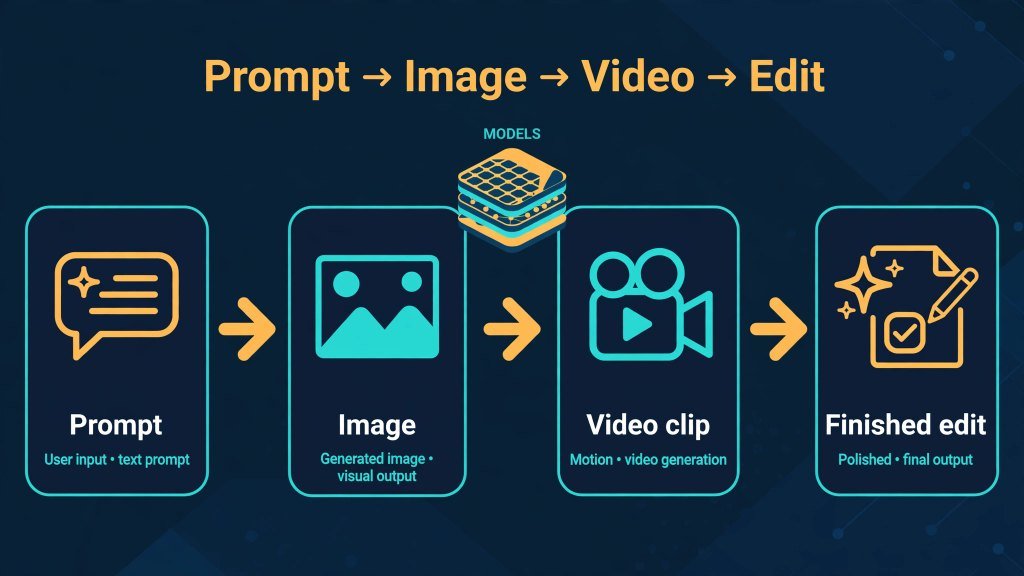
Video is the heart of most higgsfield ai reviews, and also the source of most complaints. As a Higgsfield AI video generator, the platform offers text-to-video, image-to-video, start and end frame control on higher plans, lipsync and a large library of camera presets. Higgsfield’s Cinema Studio adds lens and shot parameters, which Higgsfield’s About page puts at 1,296 camera lenses; that is a vendor claim, not an independent measurement.
Reviewers on G2 describe fast iteration and strong cinematic results, and one independent filmmaker said using Kling, Veo and Cinema Studio inside one workflow saved real time. The same reviewers also note consistency limits that apply across AI video: faces drifting, characters looking at the camera instead of another character, and the need to regenerate scenes. One competitor-run review summed up the opinion that Higgsfield is strong for camera effects but not clearly better than Kling or Runway at their own models. That source sells a rival product, so weigh it accordingly.
The cost structure is the catch. On Seedance 2.0 the table shows 30 credits at 720p, 60 at 1080p and 130 at 4K, and a 30-second Seedance 2.5 clip at 720p costs 210 credits against 35 for a 5-second one. Video is not expensive because Higgsfield is unusual. It is expensive because video models are expensive to run, and Higgsfield passes that through in credits. higgsfield
Higgsfield AI Reviews: Best Features, Ranked by User Value
This ranking follows what independent reviewers value, not Higgsfield’s marketing order.
- Multi-model access. The most repeated G2 theme is replacing several subscriptions with one platform.
- Cinematic camera controls and presets. The origin of Higgsfield’s reputation, and still the thing creators mention most.
- Image-to-video workflow. Making a still in Soul or Nano Banana and animating it in Seedance or Kling without leaving the site.
- Character consistency (Soul ID). Valuable for recurring characters, with honest limits: Higgsfield itself says to expect a clearly similar person, not a pixel-identical one.
- Marketing and UGC tools. Useful for product ads, though they depend on plan level and credit budget.
- Support responsiveness. Several G2 and Trustpilot reviewers single out fast, personal help, though others report the opposite.
- Unlimited image models. A real saving for image-heavy users, with limits explained below.
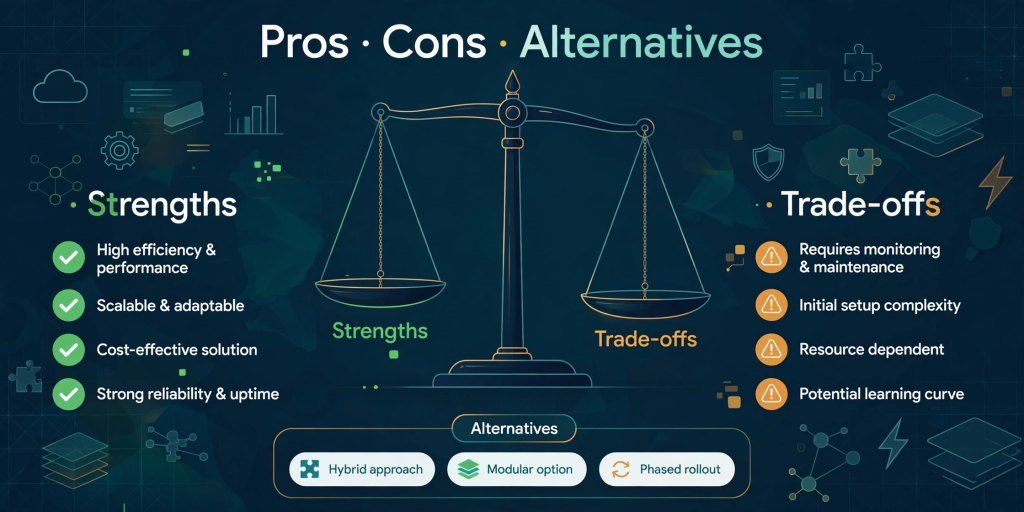
Higgsfield AI Reviews: Pros and Cons
Pros
- Very large model selection across image and video in one account.
- Strong presets and camera tools that lower the skill barrier for cinematic looks.
- Image generation is cheap per picture.
- Commercial use is addressed in the terms without a separate license purchase.
- Active support presence, including a Discord community, praised by many verified reviewers.
Cons
- Video credits drain quickly, especially at 1080p or with retries.
- Subscription credits do not roll over.
- Refunds are narrow, and renewals are not refundable.
- “Unlimited” is limited by model, window and queue, and it is easy to misread.
- Plan names, prices and credit rates change often and differ by country.
- Feature sprawl: many tools, pop-ups and upgrade prompts.
The Higgsfield AI pros and cons above are not universal, and higgsfield ai reviews show both. Most users on both review platforms are satisfied, and a meaningful minority are not.
Higgsfield AI Reviews and Pricing (Dated November 19, 2026)
Higgsfield AI pricing is the hardest part of writing fair higgsfield ai reviews, because sources disagree. Higgsfield’s help center says the pricing page adjusts plans and prices for your country, and independent writers saw different plan sets. The table shows both versions found during research.
| Plan | Official explainer, Oct 24, 2026 | US page as read by independent sites, Oct–Nov 2026 |
|---|---|---|
| Free | $0, no credits, limited models, watermark may appear | $0, no generation credits |
| Starter | $15/month, 200 credits | $19/month, 270 credits |
| Plus | $49/month, 1,000 credits, every model | $59/month ($47 annual), 1,200 credits |
| Ultra | $129/month, 3,000 credits, every model | $129/month ($99 annual), 3,000 credits; 6,000 and 9,000 credit tiers at $250 and $375 |
| Team | $79 per seat, 1,000 credits per seat, 2–9 seats | from $65 per seat on annual billing |
| Scale | $215 per seat, 2,500 credits per seat, 5–15 seats | not confirmed |
Higgsfield’s explainer says annual plans include more 7-day Unlimited models, and that paid plans include commercial use. Concurrency is the other hidden difference between Higgsfield AI plans: video jobs at once are 1 on Free, 2 on Starter, 6 on Plus and 8 on Ultra, and image jobs are 1, 4, 8 and 8. higgsfield
Are these prices high? That depends on volume. At the official Plus rate, a credit costs about 4.9 cents, which is cheap for images and moderate for short clips. Starter credits cost roughly 7.5 cents each, so occasional users pay the most per credit. Heavy users on Ultra pay about 4.3 cents on monthly billing. None of that matters until you know your own monthly generation count.
How Much Do Higgsfield AI Credits Cost?
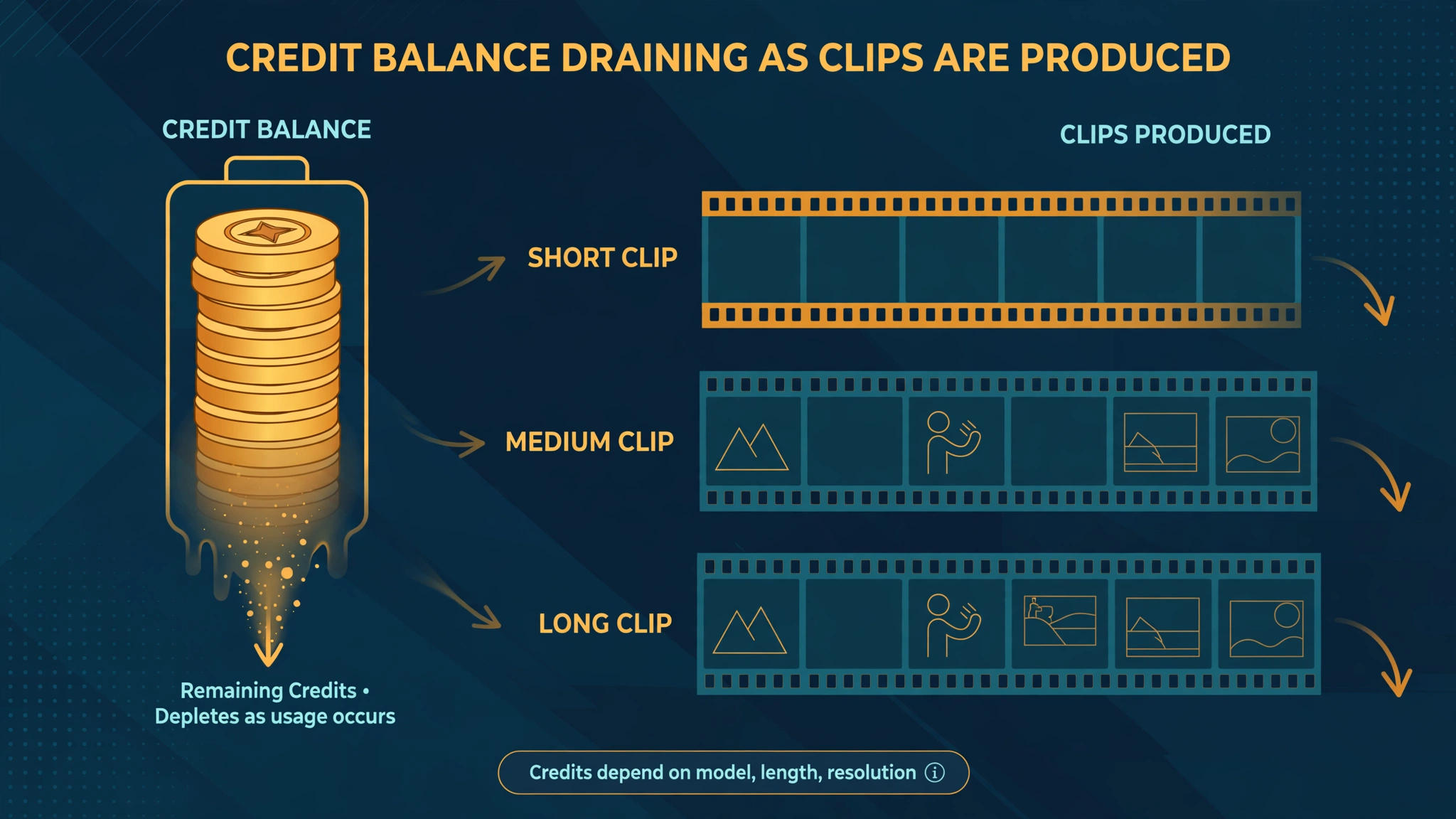
Higgsfield AI reviews often mention credits without explaining them, so here is the mechanism: credits are deducted per generation, and the price depends on model, length, resolution and number of versions. There is no single “1 credit equals X images” rule. The October 24 table lists Seedance 2.0 at 30 credits for 5 seconds at 720p, 60 at 1080p and 130 at 4K; Seedance 2.5 at 35 credits for 5 seconds at 720p and 80 at 1080p; Veo 3 Fast with audio at about 22 for eight seconds; and Veo 3 with audio at about 58. higgsfield
With 1,000 credits on Plus, those numbers translate into roughly 28 five-second Seedance 2.5 clips at 720p on a one-try basis, or about 12 at 1080p. Add retries and the picture changes. At three tries per keeper, 1,000 credits yield about nine usable 720p clips or about four at 1080p. Rates also move: other Higgsfield pages and independent sites quoted different Seedance figures, which shows why you should read the number in the app before generating.
Billing rules that affect value: subscription credits are spent first, failed generations are usually refunded automatically, completed generations are not refunded even if you dislike them, and unused subscription credits do not roll over. Credit packs and auto-refill credits expire after 90 days, and auto-refill is not available on Starter. higgsfield
Higgsfield AI Reviews on Value: Is It Expensive?
A useful way to read higgsfield ai reviews on price is to ask what a finished clip costs, not what a credit costs. Take a creator who needs 30 social clips a month on Seedance 2.5 at 720p. One try each costs 1,050 credits, which barely fits Plus. Two tries each costs 2,100 credits, which pushes you to Ultra. Three tries costs 3,150, beyond Ultra’s base allowance. The platform is not secretly overpriced; it simply prices video honestly and leaves retries to you.
Image-first users get a different result. Thousands of Soul 2.0 images fit inside a Plus month, so cost is almost irrelevant. Casual users who open the app twice a month are the group most likely to feel they paid for credits they could not use, because credits expire.
Independent reviews report that credits feel like they disappear faster than expected when prompts miss. One Trustpilot reviewer on October 16, 2026 described most of their credits going to unusable generations. That is a user report, and it matches the documented rule that completed generations are charged. It is not evidence that failed generations are always charged.
Is Higgsfield AI Free?
Partly, which is why higgsfield ai reviews that call the platform free can mislead. Every new account starts on a free plan with a limited set of models, one generation at a time, no monthly credits and a possible visible watermark. It is an exploration tier, not a working tier. Generations on free are private by default, and you can publish them yourself. higgsfield
Higgsfield AI commercial use on the free plan is where official pages disagree. Higgsfield’s help center says the Terms of Use do not restrict commercial use of outputs and tie no rights to a plan, while noting that watermarks may make free output unsuitable for client work. The pricing explainer’s comparison, as indexed in search, marks commercial use as included only on paid plans. Until you read the current terms and pricing card yourself, treat free output as personal or test use.
Independent guides report that Higgsfield’s help center lists no traditional consumer trial; verify this on your own account. Promotions appear and rotate, such as short Unlimited windows and discounts shown on the pricing page. Do not treat any promotion as permanent, and check at checkout whether a given offer asks for a payment method.
What “Unlimited” Means on Higgsfield
Confusion about this word drives many one-star entries in higgsfield ai reviews, so it deserves precision. Unlimited means selected models do not charge credits while the Unlimited toggle is on; there are 365-day unlimited sets and shorter 7-day windows. On Plus and Ultra, the 365-day set covers image models such as Seedream 5.0 Lite, FLUX.2 Pro at 1K, Seedream 4.5, Nano Banana, Kling O1 Image and GPT Image. Video models appear mainly in the shorter 7-day windows, for example Kling 3.0 at 720p and 5 seconds on annual plans. higgsfield
Higgsfield’s help pages add that Unlimited applies on higgsfield.ai only, not through MCP, CLI, Canvas or Supercomputer. A WION report on a 33-day Seedance 2.5 unlimited promotion in August 2026 described paying users reporting waits of two hours or more, and said the terms allow unlimited generations to run on a separate, slower queue. Those are user reports relayed by a news outlet, not proof of how every account was treated. The practical lesson stands: unlimited is a queue and model rule, not a promise of instant, unrestricted video. wionews
Higgsfield AI Reviews on Trustpilot and G2: What the Ratings Say
Public ratings are the strongest evidence in higgsfield ai reviews, and also the easiest to misread. Here is each source with its date.
| Source | Rating (read Nov 19, 2026) | What users like | Common complaints |
|---|---|---|---|
| Trustpilot | 4.0 from 5,254 reviews, with 62% five-star and 19% one-star | Output quality, variety of tools, helpful support replies | Credit burn, refunds, cancellation difficulty, pop-ups |
| G2 | 4.5 from 102 reviews; the page’s AI summary highlights ease of use, support and high credit use | Ease of use, multi-model workflow, responsive team | Credit consumption, a pricing-offer dispute, consistency |
| Reddit and Discord | Qualitative only | Camera presets, new model access | Credit cost, “unlimited” limits, support access trustpilotg2 |
Sample quality matters. Trustpilot lists Higgsfield’s profile as claimed with a paid Trustpilot plan, and the company invites customers to review and replies to most negative reviews. Invitation systems can lift positive volume. G2 reviewers are mostly small businesses (90 of 102), so those scores reflect creators and small studios more than large enterprises. Reddit was not directly accessible during research, so Reddit sentiment here comes from secondary write-ups, several of them published by competing tools. The Trustpilot rating held at 4.0 across the snapshots seen while the review count grew from about 3,900 to more than 5,200. trustpilot
One caution about comparison: Trustpilot’s sidebar showed far lower scores for some rival video tools. Review cultures differ by platform and audience, so cross-product star comparisons are weak evidence on their own.
What Do Higgsfield AI Reviews Praise?
In higgsfield ai reviews, common positive themes include visual output that looks cinematic with little tuning, the ability to try several leading models without separate accounts, and presets that speed up social content. G2 reviewers who make films or ads describe it as a hub rather than a single tool. Several users highlight named support staff who restored lost access or fixed billing quickly. Trustpilot’s AI summary of recent reviews also describes tools that feel engaging and efficient.
These are recurring themes, not universal experiences. Positive reviews cannot all be verified as genuine, and this article does not treat any single review as proof.
What Do Higgsfield AI Reviews Criticize?
Complaints split into four types, and separating them helps.
- Pricing and value: credits run out quickly on video, and a recent Trustpilot reviewer on a $49.99 starter purchase said they could build nothing useful.
- Billing and refunds: the refund rule is narrow. Refunds apply to initial purchases within seven days, only if no credits were used, with a service fee of up to 6%, and renewals are not refundable. Several reviewers say this surprised them after using a few credits, and one G2 reviewer disputed a promotional price that changed within an hour. higgsfield
- Support: praised often, criticized by those who could not reach a person or whose requests were declined.
- Product quality: inconsistent prompt results, slow queues at peak times, and consistency limits in character video.
Higgsfield’s own complaints page lists causes it acknowledges, including false content flags, refund denials after credit use, charges after cancellation and consistency problems. That candor is a point in its favor, but it also confirms the themes are real. With roughly one in five Trustpilot ratings at one star, these issues are neither universal nor rare.
Cancellation and Refunds: What the Official Rules Say
Cancelling turns off auto-renewal, keeps your plan active until the paid period ends, and then moves the account to the free tier. Subscription credits expire permanently when that period ends, while credit-pack credits keep their 90-day clock and return if you resubscribe in time. Cancelling does not issue a refund; that is a separate request through Higgsfield’s contact page. Free and unlimited-model generations do not count as credit use for refund eligibility, so a test-drive restricted to those keeps you eligible. higgsfield
The practical advice from higgsfield ai reviews is simple: if you buy a plan and are unsure, use only free or unlimited generations during the first seven days, or decide quickly. Do not run a batch of video on day one if you might want your money back.
Is Higgsfield AI Worth It? Higgsfield AI Reviews by User Type
Worth it for: AI video creators who ship weekly, social creators testing many models, marketers who need product videos and UGC-style ads, small agencies, AI filmmakers who benefit from one workspace, and fashion creators using Soul 2.0 with Soul ID.
Maybe worth it for: casual users, occasional image creators, beginners who have not yet found a model they like, and anyone who needs only one specific model. For these, a single month on a lower plan is a reasonable experiment.
Probably not worth it for: very low-volume users, people who want only a free image generator, anyone who dislikes expiring credits, and users who need a specialized tool Higgsfield does not offer.
This is the clearest conclusion across higgsfield ai reviews: satisfaction rises with regular use and falls with sporadic use.
Higgsfield AI for Beginners
Most higgsfield ai reviews from newcomers agree that beginners can make something quickly, because presets and image models are cheap. Start with image generation and Soul 2.0 or Nano Banana to learn prompting at almost no credit cost. Then take one image into a low-cost 5-second 720p video model and check the credit cost on screen before confirming. Avoid 1080p and 4K until you like the 720p result. The platform’s biggest beginner risk is not difficulty; it is spending credits on expensive models while still learning.
Higgsfield AI for Professional Creators and Businesses
For agencies, freelancers and brand teams, the higgsfield ai reviews on G2 are mixed but positive. G2 reviewers in marketing, film and animation describe faster iteration and consolidated billing. Team and Scale plans pool credits across seats, and Scale adds SSO and admin spend controls according to Higgsfield’s pricing explainer. Enterprise terms are custom and, per Higgsfield, exclude inputs and outputs from model training.
Limits remain. Character and motion consistency still require rerolls. Credits are shared and not rolled over, so teams with uneven workloads can waste allowance. And a business that depends on a promotional unlimited offer for deadlines should read the queue terms first. Nothing here supports promises of return on investment; treat any ad performance claim as yours to test.
Higgsfield AI vs Competitors
The table compares Higgsfield with three tools people most often weigh against it. Pricing for rivals comes from independent price trackers read in October and November 2026 and should be verified.
| Platform | Best for | Image | Video | Multi-model access | Ease of use (reviewer view) | Pricing model |
|---|---|---|---|---|---|---|
| Higgsfield AI | One workspace for many models, camera presets | Soul family plus third-party models | Seedance, Kling, Veo, Wan, others | Yes, large catalog | Easy start, crowded interface | Credits per generation; individual plans about $15–$129 |
| Runway | Editing-led AI video workflows | Not researched in depth | Its own Gen models | Primarily its own models (not checked in depth) | Polished editor | Credits; Standard $15, Pro $35, Max $95 monthly, with a free 125-credit start |
| Kling AI | Direct access to Kling video models | Has image models | Core product | No | Straightforward | Credits; about $10, $37 and $92 for Standard, Pro and Premier, plus daily free credits |
| Midjourney | Stylized images | Core product | Included on plans | No | Learning curve | GPU time; $10 to $120 monthly, no free plan |
The tradeoff behind most higgsfield ai reviews of competitors is simple. If you only ever use Kling, paying Higgsfield’s markup for access is hard to justify. If you switch between three or four models per project, the single balance and shared assets can save time and subscriptions.
Higgsfield AI Alternatives
- Best for cinematic video from one family of models: Kling directly, especially if its free daily credits suit your volume.
- Best for AI images with a distinctive look: Midjourney, which is cheaper at the entry level and has no credit math per image.
- Best for editing-centered workflows: Runway, whose editor is built around cutting and refining clips.
- Best for budget testing: the free tiers of Kling and Higgsfield, before paying anyone.
- Best for businesses wanting multi-model access elsewhere: other aggregators such as Artlist exist, but their comparison pages with Higgsfield are marketing, so run your own test.
None of these is a verdict that Higgsfield is worse. They are better fits when your needs are narrower than Higgsfield’s catalog.
Safety, Privacy and Copyright
Higgsfield’s terms say it does not claim ownership of your inputs or outputs and does not restrict commercial use of outputs. The help center adds that you must ensure your content does not infringe third-party copyright, trademark or likeness rights, and that you may not upload another person’s image without permission. Revised terms took effect on August 27, 2026. higgsfield
Privacy needs attention, and higgsfield ai reviews rarely discuss it. A Higgsfield article says content on the platform is used to train and improve its models by default outside the Enterprise plan, and that deleting content or the account stops that use going forward, while the help center describes a license limited to operating the service. The two statements are phrased differently, so read the current Terms of Use and Privacy Policy before uploading client work or face photos. higgsfield
For likeness: avoid celebrities, minors and anyone who has not agreed. For brands: do not prompt for copyrighted characters or trademarks you lack rights to. Third-party models also carry their own provider terms. This is general information, not legal advice. Higgsfield’s AI-generated content may also need disclosure on some platforms.
Common Mistakes When Using Higgsfield AI
- Starting with 1080p or 4K video before you have tested the 720p version of the same prompt.
- Not checking which model a preset is using, then discovering it costs several times more than you expected.
- Assuming every plan includes every model; Starter is limited.
- Reading “unlimited” as platform-wide and instant.
- Running a large batch on day one of an annual plan, then asking for a refund.
- Forgetting that unused subscription credits expire at the end of the cycle.
- Using MCP or Canvas for an Unlimited model and expecting it to be free.
- Generating many variations without a shot list.
Each of these appears in Higgsfield’s own documentation or in repeated user reports, and many complaints in higgsfield ai reviews trace back to habits like these.
Higgsfield AI Reviews FAQ
Is Higgsfield AI worth it?
For regular video creators who value a multi-model workspace, higgsfield ai reviews suggest yes. For occasional users, credit expiry and the refund rule make it a weaker deal. Test on the free plan or one month before committing.
Is Higgsfield AI free?
There is a free plan with limited models, no monthly credits and possible watermarks. Promotions come and go, so verify what your account currently shows.
How much does Higgsfield AI cost?
Higgsfield’s October 2026 explainer lists Starter at $15, Plus at $49 and Ultra at $129 per month; some US readings of the page show $19, $59 and $129. Annual billing lowers Plus and Ultra. Your own country’s page governs.
Do Higgsfield credits expire?
Yes. Subscription credits reset every cycle and do not roll over. Credit-pack credits expire after 90 days.
Can I use Higgsfield AI commercially?
The Terms of Use do not restrict commercial use of outputs, and paid plans include commercial use. Watch for watermarks on free output and check the current terms.
Is Higgsfield AI legit and safe?
Public ratings are mostly positive, the company has well-publicized funding and publishes terms and a trust page. Still read the privacy policy, since content may be used for model improvement by default outside Enterprise.
Can I get a refund?
Only on an initial purchase, within seven days, with zero credits used, minus a service fee of up to 6%.
Is Higgsfield better than Runway or Kling?
It depends. Higgsfield offers breadth across models; Runway focuses on its editor and Gen models; Kling gives direct access to its own video models. Pick by workflow, not by hype.
What is Soul 2.0 in Higgsfield?
Soul 2.0 is Higgsfield’s own image model for realistic people, fashion and lifestyle imagery, with presets, Moodboards, Soul ID and Soul HEX.
Bottom Line: What Higgsfield AI Reviews Add Up To
Taken together, higgsfield ai reviews describe a capable, fast-moving platform whose value depends on usage. It is well suited to creators who generate video regularly and want many models in one place, and less suited to people who generate occasionally or expect “unlimited” to mean instant and unrestricted. Image generation is cheap and generous; video is where costs concentrate. Before paying, test your actual prompts on the free plan, check the credit cost shown for each model, decide on monthly billing first, and compare against Kling, Runway or Midjourney if your needs are narrow. For more tool coverage, browse our AI Tools category, read our explainer on what higgsfiled.ai actually means, and see how Claude connects to other tools in our Claude in Chrome guide.
Sources & References
- Higgsfield, “Higgsfield Pricing Explained: Plans, Credits, and What’s Included” (October 24, 2026): https://higgsfield.ai/blog/higgsfield-pricing-explained
- Higgsfield Help Center, cancellation, refund and credit-expiry articles: https://higgsfield.ai/creator-hub/help-center/refunds-and-cancellations/how-do-i-request-a-refund
- Higgsfield Help Center, “Who owns my generations, and can I use them commercially?”: https://higgsfield.ai/creator-hub/help-center/account-and-privacy/who-owns-my-generations-and-can-i-use-them-commercially
- Higgsfield Help Center, Soul family and Soul Cinema: https://higgsfield.ai/creator-hub/help-center/ai-models/how-do-i-use-soul-cinema
- Higgsfield, About page: https://higgsfield.ai/about
- Trustpilot, Higgsfield AI reviews: https://www.trustpilot.com/review/higgsfield.ai
- G2, Higgsfield reviews: https://www.g2.com/products/higgsfield/reviews_and_filters
- WION, “Is ‘Unlimited’ a scam? Higgsfield is making customers wait” (August 18, 2026): https://www.wionews.com/world/is-unlimited-a-scam-higgsfield-is-making-customers-wait-for-days-to-generate-even-1-video-1787006158862
- TechCrunch, Higgsfield Series B (August 17, 2026): https://techcrunch.com/2026/08/17/higgsfield-raises-400m-series-b-quadrupling-its-valuation-in-8-months-to-5-4b/
- Independent pricing readings: Krea, HeyGen, Wireflow and Marktis Higgsfield pricing guides (September–November 2026).
- Competitor pricing trackers: DIY AI and Dupple (Runway), Zemith (Kling), Midjourney price guides (October–November 2026).
 Daniel Carter

1 comment