
In this article
Last verified: November 18, 2026. Plans, prices and model lists change often, so confirm anything that affects a purchase on the official site.
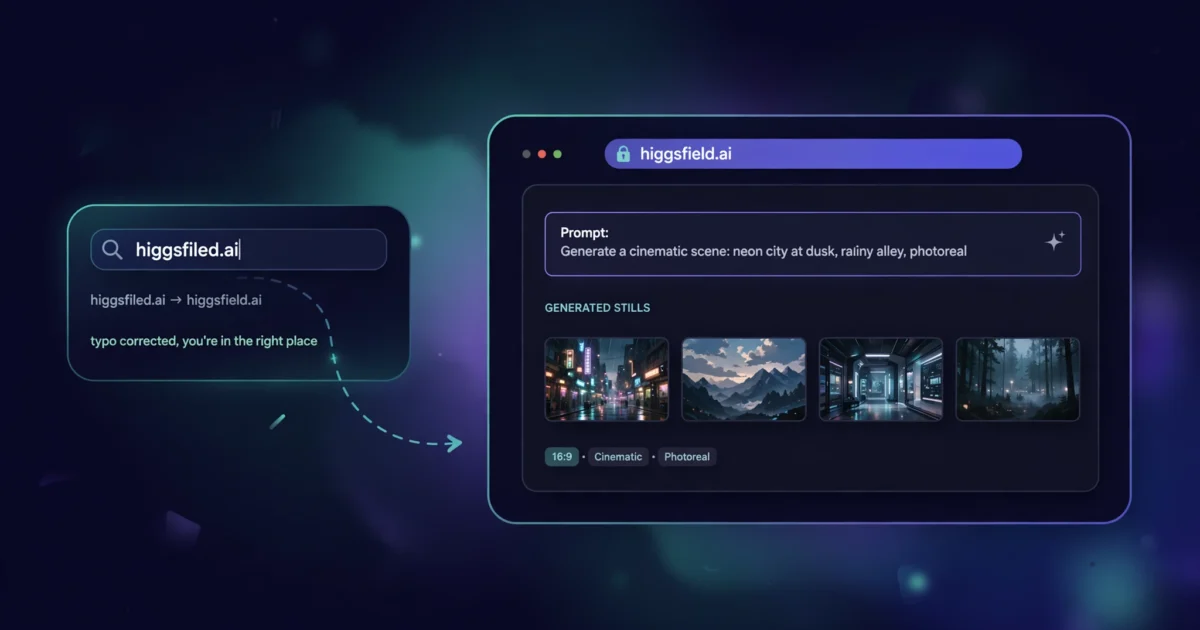
If you searched for higgsfiled.ai, you probably mean Higgsfield.ai, the official website of Higgsfield, a San Francisco company behind an AI-native creative platform for generating and editing images and videos, producing ads, and running multi-step creative projects. The two spellings differ by one transposed pair of letters, and the only official domain is higgsfield.ai. This guide treats higgsfiled.ai as a spelling variant rather than a separate product, then explains what the real platform does, what it costs, whether a free plan exists, how commercial use works, and how to avoid lookalike sites.
Table of Contents
higgsfiled.ai at a Glance: Quick Answers
| Question | Short answer |
|---|---|
| What is higgsfiled.ai? | Most likely a misspelling of higgsfield.ai. Searches for the exact spelling surfaced only Higgsfield material, and no separate AI company by that name turned up. |
| Which site is official? | higgsfield.ai. Higgsfield’s help center calls it the only place to sign in, generate and pay. |
| What does Higgsfield do? | Image and video generation, cinematic scene building, marketing ads, node-based workflows and an agent called Supercomputer. |
| Is there a free plan? | Higgsfield describes a Free tier with limited models, no monthly credits and no commercial use. It lists no free trial. |
| How much does it cost? | Higgsfield’s own pricing explainer lists Starter at $15, Plus at $49 and Ultra at $129 per month. Other lineups have been reported, so check the live page. |
| Is there an app? | No. Higgsfield says it has no mobile or desktop app; the platform runs in a browser. |
What Does higgsfiled.ai Mean, and Why Do People Type It?
Brand names that end in “field” followed by a short domain extension are easy to scramble. Swapping the final “e” and “i” turns higgsfield.ai into higgsfiled.ai, and a quick typist will rarely notice. Search engines see the pattern constantly, which is why higgsfiled.ai shows up as a query even though the platform itself uses the correct spelling everywhere.
Nothing here suggests that higgsfiled.ai is a different company with a different product. Our research on the exact spelling returned results about Higgsfield only. We did not verify what, if anything, is hosted at the misspelled address, so the safe habit is simple: type higgsfield.ai yourself or use a bookmark, and never sign in through a link you did not choose.
What Is Higgsfield AI?
Higgsfield AI is a generative AI company founded in 2023 by Alex Mashrabov, previously head of generative AI at Snap, and Erzat Dulat, according to public company profiles. Reporting in early 2026 described a Series A of roughly $130 million and a valuation of about $1.3 billion, though those are third-party reports rather than figures Higgsfield publishes on its product pages.
Today the company describes itself as an AI-native creative suite. In plain language, that means one browser-based workspace where you can make images, make videos, direct multi-shot scenes, produce ads from a product link, chain several AI models together on a shared canvas, and hand whole projects to an agent. Most people who type higgsfiled.ai are looking for one of those things: a place to turn a prompt or a photo into polished video without stitching together five tools.
The platform covers these areas:
- Video generation from text prompts, still images and reference material
- Image generation and editing, including inpainting and upscaling tools
- Character consistency, so a person or persona stays recognizable across outputs
- Advertising workflows, including product-link video ads and static ad variations
- Multi-model access, meaning several AI models in one account
- Audio and lip-sync tools, including a talking-presenter feature called Higgsfield Speak
- Agentic workflows, where you describe a goal in chat and an agent plans the work
Higgsfield AI Features Behind the higgsfiled.ai Searches
Higgsfield’s navigation lists dozens of tools. The five below matter most to people landing here from a misspelled search.
Higgsfield Cinema Studio
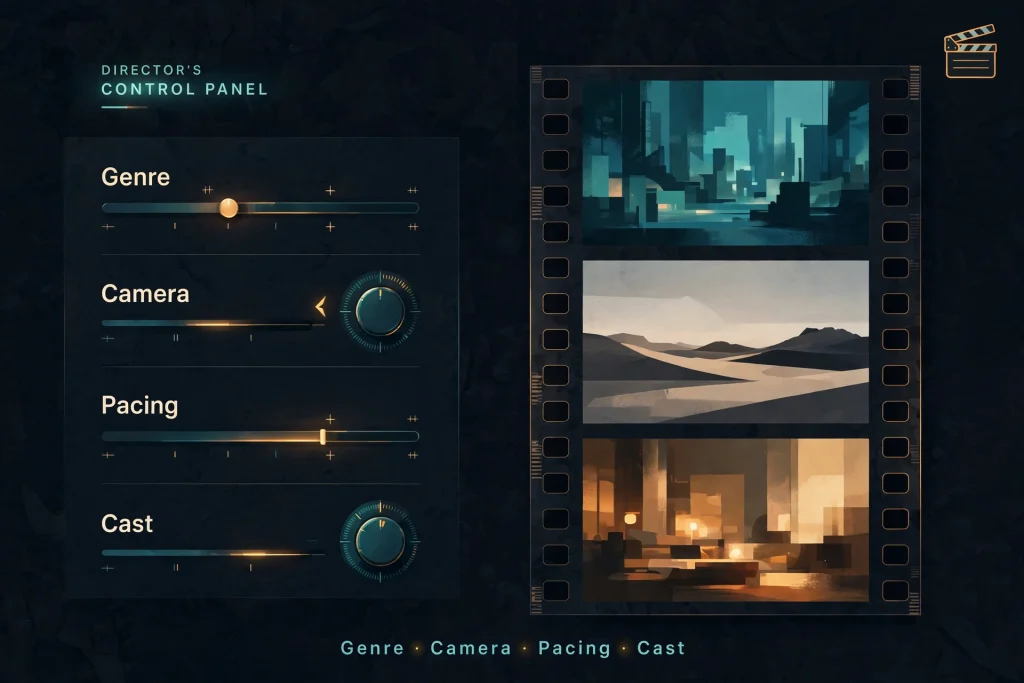
Of the tools people expect when they search higgsfiled.ai, Cinema Studio is the most film-like. It is the company’s workspace for building scenes the way a director would. According to Higgsfield’s product page, version 4.0 lets you set a genre (General, Action, Epic, Drama, Comedy or Horror), choose camera movements through tags in the prompt, pick a visual era, and select a pacing style such as Chaotic, Dynamic, Calm or Single Shot so the scene arrives already cut together. The same page says generations can run up to one minute at native 4K, accept up to 50 reference assets, and use an “AI Cast” feature to keep actors, wardrobe and locations consistent across shots. Teams can co-direct in one project in real time, and an in-app assistant called Mr. Higgs can suggest cameras, lighting and shot breakdowns.
Treat those numbers as Higgsfield’s own claims. We did not run test generations, and results will vary by model, prompt and plan.
Higgsfield Soul and Soul ID
If a character-consistency clip is what sent you to higgsfiled.ai, this is the feature behind it. Soul is Higgsfield’s own family of image models, including Soul 2.0 and Soul Cinema, the latter aimed at a film-like look. Soul ID is the character-consistency layer: you train a character from photos of one person, then reuse that character so the face stays recognizable across generations.
Details to know before you rely on it:
- Higgsfield’s help center says training and generating with a Soul ID character both require a paid plan.
- The route in the interface is higgsfield.ai, then Soul, then Train new character.
- The help center says to upload only photos of yourself or of someone who has given permission.
- Higgsfield’s own articles disagree on whether a trained character carries across every Soul model, so check the current help page before training several.
- It is designed for photorealistic human characters, not for inventing non-human creations.
Higgsfield Marketing Studio and Ads Studio
Marketing Studio is the ad workspace, and the one most business readers of higgsfiled.ai queries care about. Per Higgsfield’s help center, it starts from a product link and produces a finished video ad, using a template library organized into Product Shot, Motion, UGC, TikTok, Ads, Posters and Marketplace. Higgsfield describes more than 1,500 templates. Ads with a person on screen use avatars, and an Ad Reference tool lets you point at an ad you are allowed to use as a guide for pacing and style. The help center lists a 15-second maximum clip length, and says editing after generation is limited to the Posters category; elsewhere you regenerate rather than edit.
Ads Studio, listed separately in the navigation, targets static ads. Higgsfield-hosted material describes up to 20 variations per run from a website, though that comes from marketing-style pages rather than the help center, so verify it in the product.
Higgsfield Canvas
For anyone who reached Higgsfield through a higgsfiled.ai typo, Canvas is the clearest picture of the multi-model idea. It is a node-based board where prompts, images, videos and models connect into one pipeline. Higgsfield says every model on the platform can run inside the graph, so you might create a character with a Soul model, animate it with a video model and route the result onward, all on one surface. Boards can be shared for live collaboration and saved as reusable templates. Building the graph costs nothing; credits are spent when a node generates.
Higgsfield Supercomputer
Supercomputer is the agentic layer, and the newest idea behind many higgsfiled.ai searches. Higgsfield’s page describes it as a chat that runs the platform for you: you describe a reel, an ad, a product shot or a week of content, and the agent plans the work, selects models and presets, and delivers the result. It supports installable Skills (reusable workflows), persistent memory, scheduled tasks, files saved per project, and connectors to tools such as Slack, Drive, Notion, Gmail and Figma. The page says credit costs are shown before anything renders so you can approve the spend.
One practical caution from Higgsfield’s pricing explainer: Canvas, Supercomputer, MCP and the command-line tool always charge credits, even when an Unlimited toggle is on.
How Higgsfield.ai Works: A Beginner Walkthrough for higgsfiled.ai Visitors
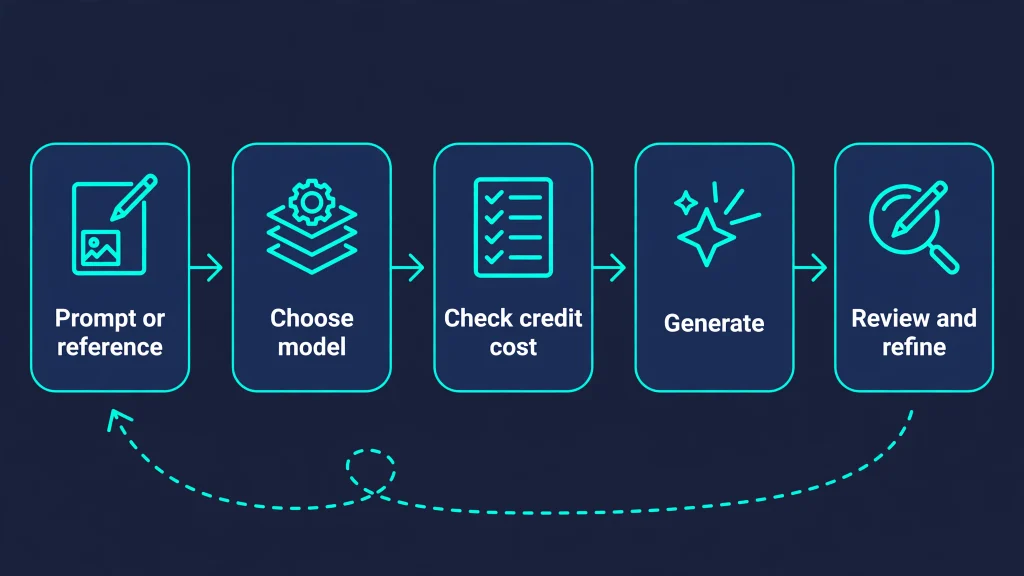
Anyone who arrived through higgsfiled.ai can follow the same path. Higgsfield changes its interface often, so the steps below stay at the level of paths the help center documents, rather than naming buttons that may move.
- Open the official site. Type higgsfield.ai directly. If you arrived through higgsfiled.ai, close that tab and start again from the correct address.
- Create an account and sign in. Generating requires an account, and accounts work only on higgsfield.ai.
- Choose a tool. Image, Video, Cinema Studio, Marketing Studio, Canvas and Supercomputer all appear in the top navigation.
- Pick a model or template. Some tools let you select a model; Marketing Studio starts from a template; Supercomputer can choose for you.
- Add your input. Write a prompt, upload a reference image, or paste a product link in Marketing Studio.
- Adjust settings. Available options such as duration, resolution and aspect ratio depend on the model and your plan.
- Check the credit cost. Credits are deducted per generation and vary by model, length and resolution.
- Generate. Higgsfield’s pricing explainer says failed generations are usually refunded automatically, while completed ones are not, even if you dislike the result.
- Review and refine. Change the prompt, swap the model or adjust the reference, then try again.
- Download or share. Generated assets land in a project. Check the Terms before commercial use.
What You Can Create on the Platform Behind higgsfiled.ai
Some uses below are features Higgsfield documents; others are reasonable applications of general-purpose video and image tools. The labels keep them apart.
Directly supported (per Higgsfield’s pages):
- Product video ads from a product link in Marketing Studio
- UGC-style ads with avatar presenters
- Cinematic multi-shot scenes in Cinema Studio
- Consistent characters through Soul ID and AI Cast
- Node-based image and video pipelines in Canvas
- Talking-presenter and lip-sync videos through Speak and Lipsync Studio
- Agent-built deliverables, such as batches of ad variations, through Supercomputer
Plausible applications (not specific product claims):
- Short-form social clips and storytelling experiments
- Fashion or lifestyle concept imagery
- AI influencer personas, where you hold the rights to every face used
- Explainer snippets and concept visualization for pitches
- Marketing campaign mood boards
Higgsfield AI Video Generation Explained
Video is the center of the product, and higgsfiled.ai searchers usually want to know what inputs it accepts.
- Text-to-video: describe a scene and a video model renders it.
- Image-to-video: start from a still and animate it. Higgsfield’s Soul Cinema help page notes that its images work well as starting frames for video models.
- Reference-based generation: Cinema Studio accepts up to 50 references per generation, according to Higgsfield.
- Start and end frames: a control that defines the first and last image of a clip. The pricing explainer lists it on Plus and Ultra, not on Free or Starter.
- Camera and motion: Cinema Studio uses movement tags, and Canvas examples show frame-to-frame timelapse-style transitions.
- Audio and speech: some models generate audio natively, and Higgsfield Speak handles talking-presenter video. Speak and the UGC builder are listed on Plus and Ultra.
- Duration and resolution: these differ by model. The pricing explainer shows Seedance 2.5 clips up to 30 seconds at 720p, while Marketing Studio caps clips at 15 seconds and Cinema Studio advertises up to one minute.
No model supports every resolution, length or control. Higgsfield’s own credit table shows how much a setting change matters: on Seedance 2.0, moving from 720p to 1080p roughly triples the cost, and 4K costs about five times the 720p price.
Higgsfield AI Image Generation Explained
On the image side, Higgsfield offers its own Soul models plus several third-party ones. The navigation lists Nano Banana, FLUX.2, Seedream 5, GPT Image 2 and Ideogram 4.5 alongside Soul 2.0 and Soul Cinema. Editing tools include Edit Image, Inpaint and Upscale. Reference images are supported, and Soul ID handles repeated characters.
Readers who land here from higgsfiled.ai image queries will notice that credit costs are low relative to video. Higgsfield’s explainer lists FLUX.2 Pro at 1 credit per image and Nano Banana Pro at 2, with higher-resolution settings costing more. Availability depends on your plan: Starter includes only selected models, while Plus and Ultra open the full library.
Higgsfield AI Models: Own Tools vs Third-Party Models
Higgsfield does not rely on one engine, which is why higgsfiled.ai searchers often end up comparing it with single-model tools. It acts partly as a hub, which matters because AI video models differ in motion, realism, audio and price. Separating who built what avoids a common misunderstanding.
| Category | Examples named on Higgsfield’s pages | Built by |
|---|---|---|
| Higgsfield’s own | Soul 2.0, Soul Cinema, Soul ID, Higgsfield Speak, Cinema Studio | Higgsfield |
| Third-party video models | Seedance, Kling, Veo, Wan, Grok Imagine | Other companies |
| Third-party image models | Nano Banana, FLUX.2, Seedream, GPT Image, Ideogram | Other companies |
Canvas materials attribute Veo and Nano Banana to Google and Wan to Alibaba. The Terms of Use add that Higgsfield can add, swap or retire models at any time, and that third-party providers’ acceptable-use policies apply when you use their models. That second point deserves attention: a model’s availability today is not a promise about next quarter.
Is Higgsfield AI Free? What higgsfiled.ai Free Searches Should Know
Short answer: Higgsfield describes a Free tier, but it is a limited sandbox rather than a free-credit trial.
Per Higgsfield’s pricing explainer, the Free plan costs $0, includes no monthly credits, offers limited use of a couple of image models (Nano Banana Pro and FLUX.2 Pro) plus one Character generation, runs one job at a time, and does not allow commercial use of the results. A help-center article states there is no trial period before buying and says free access covers a small set of models. When you want more models, credits, parallel generation or Unlimited access, you need a paid subscription.
Sources disagree on this point. A separate Higgsfield help article states that plans are paid and that free generations apply only where included in your plan, and several third-party checkers who read the pricing page in October 2026 reported no visible $0 card. We could not render the live page, which loads its plan cards dynamically. If you searched higgsfiled.ai free hoping for unlimited free video, expect something much narrower, and treat any site promising “free Higgsfield” elsewhere as suspect.
Higgsfield AI Pricing in November 2026
Anyone searching higgsfiled.ai pricing is usually after one number, but Higgsfield bills in credits. Pricing checked November 18, 2026, against Higgsfield’s own pricing explainer, last updated days earlier. Promotions change frequently.
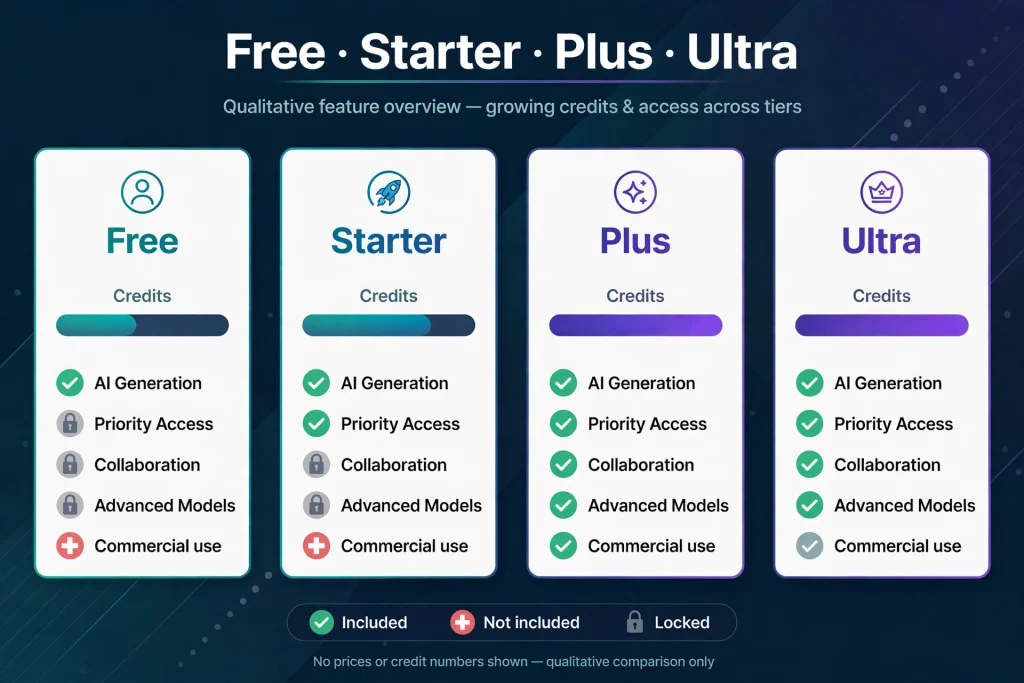
Individual plans (monthly billing, per Higgsfield’s explainer):
| Plan | Price | Credits per month | Commercial use | Video jobs at once |
|---|---|---|---|---|
| Free | $0 | 0 (limited use) | No | 1 |
| Starter | $15 | 200 | Yes | 2 |
| Plus | $49 | 1,000 | Yes | 6 |
| Ultra | $129 | 3,000 | Yes | 8 |
Business plans:
| Plan | Price | Credits | Seats |
|---|---|---|---|
| Team | $79 per seat per month | 1,000 per seat | 2 to 9 |
| Scale | $215 per seat per month | 2,500 per seat | 5 to 15 |
| Enterprise | Contact sales | Custom | Custom |
Key points around those numbers:
- Billing cycle: monthly and annual options exist. Annual billing costs less per month and includes more seven-day Unlimited windows, but the explainer does not print annual prices, so read them on the pricing page.
- Credits expire: subscription credits reset each cycle and do not roll over on individual plans. Credit packs expire after 90 days.
- Model access: Starter covers selected models. Plus and Ultra open every model. Start and End Frame, Higgsfield Speak and the UGC builder begin at Plus.
- Unlimited: selected models can run without deducting credits during set windows, with fair-use limits in the Terms.
- Refunds: within seven days of an initial purchase, if no credits were used, with a service fee up to 6 percent. Renewals are non-refundable.
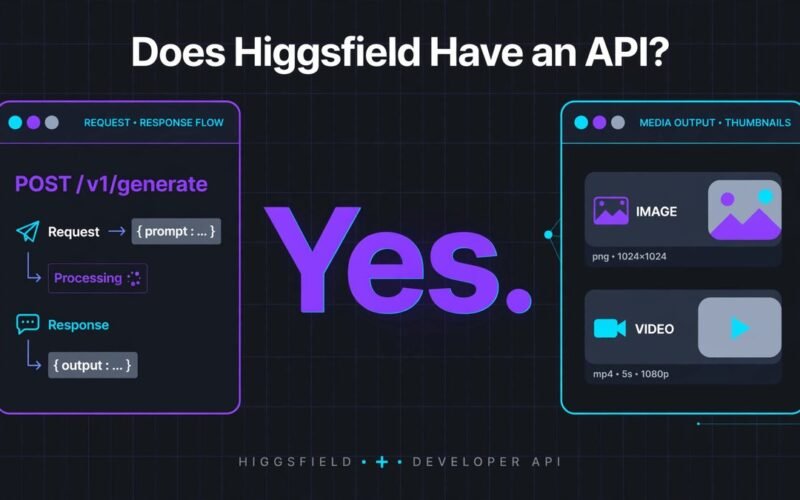
- API: the developer API uses a separate dollar balance, not plan credits.
A warning about conflicting price lists. Other lineups have circulated. A Higgsfield-hosted guide lists Starter at $19 for 270 credits and Plus at $59 for 1,200, and several third-party sites that checked the pricing page between October 20 and November 4, 2026 reported Basic at $9, Pro at $29 and Max at $79. Regional pricing, plan restructuring or tests could explain the gap, but we cannot say which. Use the official pricing page as the final authority when you buy, and compare credit costs rather than headline prices. For context on how credit-based AI subscriptions can be structured, see our guide to ChatGPT subscription plans and prices.
Sample credit costs from Higgsfield’s explainer: a 5-second Seedance 2.5 clip costs 35 credits at 720p and 80 at 1080p; a 5-second Seedance 2.0 clip costs roughly 22 credits at 720p; an 8-second Veo 3 Fast clip with audio costs roughly 22. Every completed generation is charged, kept or not.
Can You Use Higgsfield AI Commercially?
Commercial use is a common worry for higgsfiled.ai readers, and it is a place where two official sources do not line up perfectly, so read both.
The pricing explainer marks commercial use as included on Starter, Plus and Ultra and excluded on Free. The Terms of Use, updated October 23, 2026, say Higgsfield does not claim ownership of your inputs or outputs and does not restrict commercial use of outputs, and that your rights in exported outputs survive cancellation. Until Higgsfield reconciles the wording, the cautious reading is to treat Free output as non-commercial and use a paid plan for client or ad work.
Other points from the Terms:
- You must be 18 or older.
- You confirm you hold the rights to everything you upload, including consent from anyone whose face, name or voice appears.
- Outputs may not be unique, and Higgsfield does not clear them against third-party rights.
- Where third-party models power a feature, that provider’s usage policy also applies, and the stricter rule governs.
- Some outputs may carry provenance markings or content credentials, and you agree not to remove them.
- Where the law requires it, you must disclose that content is AI-generated.
This is general information, not legal advice. For brand work, have your own counsel review the Terms.
Is Higgsfield AI Worth It?
It depends on how you work, and on what led you to higgsfiled.ai in the first place.
Who tends to benefit: marketers and small businesses that need many ad variations, social and short-form creators who iterate quickly, agencies that value shared workspaces, and filmmakers or designers exploring concept scenes. The multi-model design suits people who would otherwise juggle subscriptions.
Limitations to weigh:
- Credit drain. Failed attempts may be refunded, but disliked results are not, and higher resolutions multiply costs.
- Learning curve. The navigation is crowded, and advanced tools such as Canvas and Cinema Studio reward practice.
- Variability. Output quality depends on the model, prompt and a degree of chance. Higgsfield’s own help center warns that voiceover and pacing in UGC ads can vary between generations.
- Plan gating. Several controls start at Plus.
- Moving targets. Models, prices and features change, and the Terms permit that.
- Cloud dependence. Everything runs on Higgsfield’s servers, subject to queues and third-party infrastructure.
- Training use. On consumer plans, the Terms allow Higgsfield to use content and outputs to improve its models; enterprise agreements differ.
A fair verdict: strong breadth, genuine workflow tools and a clear paid structure, balanced against credit management and shifting pricing. We have not benchmarked output quality against competitors.
Higgsfield vs Other AI Video Tools
Anyone comparing options after a higgsfiled.ai search should note that comparisons here stay at the level of positioning. Cells marked “not verified” reflect facts we did not confirm.
| Platform | Main strength | Image generation | Video generation | Editing and creative tools | Best for |
|---|---|---|---|---|---|
| Higgsfield | Many models and studios in one account | Yes, Soul plus third-party models | Yes, multiple models | Cinema Studio, Canvas, Marketing Studio, Supercomputer | Ads, multi-model experimentation, agent workflows |
| Runway | Its own Gen-4.5 video model and camera-control focus | Yes | Yes, in-house models | Editing, audio tools, web and phone apps, API | Creators who want one vendor’s tuned tools |
| Google Veo | Google’s video model with native audio | Via Google’s separate image models | Yes | Depends on the Google product used | People already working inside Google’s tools |
| Kling | Kling-family video models, including 3.0 | Not verified | Yes | Not verified | Testing Kling directly rather than through a hub |
Two notes. First, Higgsfield also offers Veo and Kling models inside its own account, so the choice is partly between buying a model directly and accessing it through a hub. Second, we left Sora out deliberately: OpenAI discontinued the Sora web and app experiences on April 26, 2026 and the Sora API on September 24, 2026. Higgsfield’s navigation still lists Sora 2 entries, and we could not confirm whether they currently generate. Check before planning around it.
For general guidance on comparing AI subscriptions, no single platform is universally better. Compare credit costs, model access and commercial terms against your own workload.
Higgsfield AI for Beginners
You do not need technical skills to begin with whatever you found through higgsfiled.ai. Higgsfield says plain language works in Supercomputer, and the template-first design of Marketing Studio removes the blank-page problem.
A sensible first week:
- Make a few images with a Soul or Nano Banana model to learn how prompts behave.
- Animate your best image with an image-to-video model at the lowest resolution.
- Try Marketing Studio with a product link and compare the result with a simple prompt.
- Only then explore Cinema Studio or Canvas.
Three habits save money. Choose the model deliberately, because a cheap draft model is enough for testing. Use a reference image when a subject must look consistent. And read the credit cost before every generation, since a single high-resolution video can cost more than dozens of images.
Prompting Tips for Higgsfield AI
Good prompts describe what the camera sees. Useful ingredients include the subject, the action, the environment, lighting, camera movement, lens or look, composition, mood, visual style and the intended motion or duration. If you attach a reference image, say what to take from it: the outfit, the pose, the color palette or the character.
Original examples (no outcome is guaranteed):
- Image: “A ceramic mug on a walnut desk beside a rain-streaked window, soft morning light, shallow depth of field, calm and quiet mood, product photography framing.”
- Video: “A cyclist crosses an empty bridge at dawn, slow dolly-in from behind, low golden light, thin mist rising from the water, cinematic and unhurried, five seconds.”
- Reference-led: “Keep the jacket and hairstyle from the attached photo. Place the character in a neon-lit night market, handheld camera, rain on the pavement.”
Change one variable at a time. If the lighting is wrong, edit only the lighting line before rerunning.
Higgsfield AI for Business and Marketing
For commercial teams that found Higgsfield through higgsfiled.ai, the draw is volume and speed: product videos from links, UGC-style ads with avatar presenters, static ad variations, shared workspaces, and an agent that can run repeating tasks. Business plans add pooled credits, and Scale adds single sign-on and admin spend controls. Higgsfield also offers an official MCP connector so Claude, ChatGPT and other assistants can drive its tools. The only official connector address is mcp.higgsfield.ai/mcp, and Higgsfield says any other URL is not theirs. Our look at Claude in Chrome shows how agent-style tools raise their own permission questions, which apply when you connect any agent to paid accounts.
Responsibility stays with you. Before publishing, confirm that you have:
- Rights to every uploaded asset, logo and product image
- Trademark and copyright clearance for anything recognizable
- Written consent for any real person’s likeness or voice
- Compliance with advertising rules and platform policies where the ad will run
- Required AI-content disclosures
AI generation does not make content legally safe. It only changes how the content is produced.
Safety, Privacy and Responsible Use
Because higgsfiled.ai is a typo of a real brand, safety starts with the address bar. Uploading faces and voices carries real stakes beyond that. The Terms require you to have consent from every person whose face or voice appears in your inputs, forbid submitting biometric templates, and tell users not to put sensitive personal data into prompts, such as government IDs, financial account numbers or health details. Higgsfield prohibits non-consensual intimate imagery and offers a takedown form. It also prohibits harming minors, impersonation and attempts to bypass its safety systems.
On data use, the Terms say consumer-plan inputs and outputs may be used to train and improve Higgsfield’s models, while enterprise customers under a separate agreement are not trained on. Deleted accounts keep content for 30 days before permanent deletion from active systems. We did not review the full Privacy Policy, so read it before uploading anything private.
Practical habits:
- Upload only images you own or have permission to use, and avoid customer photos unless your agreement allows it.
- Do not clone a voice without clear consent.
- Avoid realistic depictions that could mislead viewers about real people.
- Use a unique password and, where offered, a sign-in method with extra protection.
- Treat any link to Higgsfield as suspect until the address bar reads higgsfield.ai.
For general habits that apply to any AI account, our plain-language guide on staying safe with AI chat tools covers account security and what not to share.
Official Higgsfield Website vs higgsfiled.ai: How to Verify
| What you typed | What it means |
|---|---|
| higgsfiled.ai | A likely misspelling |
| higgsfield.ai | The official Higgsfield site |
Higgsfield’s help center spells out the official surfaces: the main site at higgsfield.ai, the developer console at open.higgsfield.ai, API documentation at docs.higgsfield.ai, the official MCP, an official Discord server, and verified social accounts. Everything else is unofficial.
Before you create an account, enter payment details, upload private media or connect other accounts, check that:
- The address bar reads higgsfield.ai exactly, with no extra characters.
- Sign-in and payment happen on that domain. Higgsfield says it does not sell lifetime plans, transferable accounts or reseller subscriptions.
- You are not being asked for your password anywhere else.
Does Higgsfield have an app? Per its official help article, no. It has no mobile or desktop app, and the platform works in a phone browser. Any app calling itself Higgsfield, the article says, is a copy. Older articles may describe an earlier phone-app era, so go by the current help page.
We are not accusing any particular domain of wrongdoing, and we did not investigate what is hosted at higgsfiled.ai. The point is process: if you mistyped, retype. If you already entered a password somewhere unfamiliar, reset it through the official sign-in page and contact Higgsfield Support.
Final Thoughts on higgsfiled.ai and Higgsfield.ai
The takeaway for anyone who typed higgsfiled.ai is straightforward: the destination is higgsfield.ai, a broad, credit-based creative platform with real strengths in multi-model video, ad workflows and character consistency, and real caveats around pricing clarity, credit burn and plan gating. Start small, read the credit cost before each run, and confirm the plan details on the official page before paying. If higgsfiled.ai brought you here by accident, you have lost nothing but a few seconds.
Frequently Asked Questions About higgsfiled.ai and Higgsfield AI
What is higgsfiled.ai?
higgsfiled.ai is most likely a misspelling of higgsfield.ai, the official website of Higgsfield AI. Our searches on the exact spelling returned only Higgsfield results, and we found no separate AI company by that name.
Is higgsfiled.ai the same as Higgsfield.ai?
For search purposes, yes: people who type higgsfiled.ai almost always mean Higgsfield.ai. We did not verify what is hosted at the misspelled address, so navigate to higgsfield.ai directly.
What is Higgsfield AI used for?
People who search higgsfiled.ai use it to generate images and videos, direct cinematic scenes, make product and UGC-style ads, keep characters consistent and run multi-step projects through an agent.
Is Higgsfield AI free?
If you searched higgsfiled.ai free, note that it has a limited Free tier with no monthly credits, a small set of models and no commercial use, and no free trial is offered. Sources disagree on how visibly the free option appears on the pricing page.
How much does Higgsfield AI cost?
Higgsfield’s own explainer lists $15 (Starter), $49 (Plus) and $129 (Ultra) per month for individuals, with Team from $79 per seat. Other price lists have been reported, so confirm on the live pricing page.
Can Higgsfield AI generate videos and images?
Yes to both. It supports text-to-video, image-to-video and several image models, with settings that vary by model and plan.
Is Higgsfield AI safe?
Higgsfield publishes terms, consent requirements and an official-platforms guide, but safe use still depends on you: verify the domain, secure your account and upload only content you have rights to. Consumer content may be used for model training under the Terms.
Can I use Higgsfield AI commercially?
Paid individual plans are listed as including commercial use, and Free is not. The Terms also say Higgsfield does not restrict commercial use of outputs, so follow the stricter plan table and clear third-party rights yourself.
What is Higgsfield Supercomputer?
It is Higgsfield’s agentic chat: describe a creative task, and it plans the work, picks models, and delivers results, showing credit costs before rendering.
What is Higgsfield Cinema Studio?
It is a scene-building workspace with genre, camera, pacing and cast controls, designed for directing multi-shot AI video.
Sources & References
Consulted November 18, 2026. “Excerpt only” means I read the page through search-result excerpts, not the full page.
Official Higgsfield sources
- Higgsfield Pricing Explained, plans, credits and Unlimited: https://higgsfield.ai/blog/higgsfield-pricing-explained
- Higgsfield pricing page (fetched, but plan cards did not render): https://higgsfield.ai/pricing
- How do Higgsfield plans work? (Help Center): https://higgsfield.ai/creator-hub/help-center/plans/how-do-higgsfield-plans-work
- What are the official Higgsfield platforms? (Help Center): https://higgsfield.ai/creator-hub/help-center/getting-started/official-higgsfield-platforms
- Terms of Use Agreement, last updated October 23, 2026: https://higgsfield.ai/terms-of-use-agreement
- Cinema Studio product page: https://higgsfield.ai/cinematic-video-generator
- Canvas product page: https://higgsfield.ai/canvas-intro
- Supercomputer product page: https://higgsfield.ai/supercomputer-intro
- How do I use Marketing Studio to create video ads? (Help Center, excerpt only): https://higgsfield.ai/creator-hub/help-center/tools-and-workflows/how-do-i-use-marketing-studio-to-create-video-ads
- How do I create and use a Soul ID character? (Help Center, excerpt only): https://higgsfield.ai/creator-hub/help-center/ai-models/how-do-i-create-and-use-a-soul-id-character
- How do I use Soul Cinema? (Help Center, excerpt only): https://higgsfield.ai/creator-hub/help-center/ai-models/how-do-i-use-soul-cinema
- Higgsfield-hosted pricing guide (excerpt only; lists a different plan lineup): https://geo.higgsfield.ai/higgsfield-ai-pricing-guide
Independent and third-party sources
- OpenAI Help Center, what to know about the Sora discontinuation (excerpt only): https://help.openai.com/en/articles/20001152-what-to-know-about-the-sora-app-discontinuation
- Wikipedia, Higgsfield AI, company background (excerpt only): https://en.wikipedia.org/wiki/Higgsfield_AI
- Runway pricing page (excerpt only): https://www.runwayml.com/pricing
- Runway AI explained, secondary summary dated November 15, 2026 (excerpt only): https://nhimg.org/runway-ai-explained
- Third-party price checks showing different Higgsfield lineups (excerpts only): https://www.aieatingtheworld.com/articles/higgsfield-ai-pricing, https://www.versely.studio/blog/higgsfield-pricing-2026, https://kenerateai.com/blogs/is-higgsfield-ai-free
 Daniel Carter

6 comments