

In this article
The central question in higgsfield ai vs openart is where you want to spend your effort. Higgsfield AI is organized around directing shots: camera moves, lenses, lighting and a face you train once and reuse. OpenArt is organized around building a story: reusable characters, a chat-driven Director that assembles whole scenes with sound, and a very wide library of models. Both platforms resell access to the same kinds of third-party image and video models, so the tools wrapped around a model usually matter more than the model’s name.
This higgsfield ai vs openart guide was checked on November 22, 2026 against official pricing, help-center and product pages. It does not include our own side-by-side generation tests, so every capability claim below traces to a company page or to a clearly labeled independent source.
Table of Contents
Higgsfield AI vs OpenArt: Quick Answer
Neither platform wins everywhere. Choose Higgsfield AI when the shot itself is the product: you want to set genre, lens, camera movement and color, train a recurring person from your own photos, or run ad-style workflows. Choose OpenArt when the story is the product: you want one character photo turned into a reusable cast member, a chat that builds a multi-scene film of up to five minutes, and voice, music and dubbing tools in the same account.
On price, the higgsfield ai vs openart answer changes with the model and the plan. Higgsfield’s own comparison shows cheaper short clips on Higgsfield’s Plus plan than on OpenArt’s entry plan, but OpenArt’s higher plans narrow that gap. Commercial rights also differ: OpenArt reserves them for Plus and above, while Higgsfield says its paid plans include them.
Higgsfield AI vs OpenArt at a Glance
Use this table to see higgsfield ai vs openart side by side before the details.
| Factor | Higgsfield AI | OpenArt |
|---|---|---|
| Main strength | Shot-level direction, trained characters, ad tools | Story building, reusable characters, wide model library |
| Image generation | Own Soul 2.0 model plus third-party image models | 100+ models, personalized-model training, editing tools |
| Video generation | Cinema Studio plus third-party video models | Director, Smart Shot, third-party video models |
| Character consistency | Soul ID (trained on 20–80 photos), Elements, AI Cast | Character Builder (one photo can start), Multi-View, optional training |
| Multi-scene creation | Cinema Studio; Supercomputer agent on paid plans | Director, up to five minutes from one chat |
| Audio | Native audio in some models, Speak and lipsync tools | Voice-over, music, sound effects, voice clone, dubbing |
| Entry price (monthly) | $15 or $19 depending on plan set | $14 |
| Commercial use | Included on paid plans | Plus and above |
| MCP/API | MCP, CLI and a public API (separate balance) | MCP and CLI; no public API |
| Best for | Directors, ad makers, face-consistent image series | Storytellers, character-led series, audio-heavy projects |
What Is Higgsfield AI?
Higgsfield AI describes itself as an AI-native creative suite for images, video and characters. Its pricing explainer shows plans that unlock models, monthly credits and parallel generation, with a free tier that carries no monthly credits. higgsfield
Higgsfield’s own tools include the Soul 2.0 image model, Soul ID for trained characters, and Cinema Studio. Cinema Studio 4.0 lets you set genre, camera, pacing and cast from one panel, accepts up to fifty references per generation, and lets you pick a video model per shot. It also includes Marketing Studio for ads and Lipsync Studio. higgsfield
Third-party models are a large part of the catalog. Higgsfield’s navigation lists video models such as Seedance, Kling, Veo, Wan and Grok Imagine, and image models such as Nano Banana, Flux 2, Seedream, GPT Image and Ideogram. Those models were built by other companies. Higgsfield supplies the interface, credits and surrounding tools. higgsfield
What Is OpenArt?
OpenArt calls its product an all-in-one creator studio for images, video, characters and audio. Its pricing page advertises access to more than 100 premium image, video and audio models, plus Director and an MCP connection on every paid plan. openart
OpenArt’s own layers are Character Builder, Director, Smart Shot, dubbing and the audio suite. Director is described as a conversation that produces a five-minute film with consistent characters, scenes, lighting and audio. openart
Third-party models again do much of the generating. OpenArt’s promotional list names Kling 4.0, Seedance 2.0, Wan 3.0, Grok Imagine 1.5, Seedream 5.5 and Recraft V4.1. As with Higgsfield, those belong to other developers. openart
Platform Versus Model: Why It Matters in Higgsfield AI vs OpenArt
When both services offer Kling or Seedance, the underlying model is the same family on either site. Higgsfield’s own comparison states that Kling 4.0, Kling 3.0 and Seedance 2.5 are available on both platforms and behave the same way. What changes is the price per clip, the references you can feed in, and the editing and story tools around it. Judge the platform for those layers, and judge the model separately. higgsfield
Higgsfield AI vs OpenArt: Image Generation
Image work is where the higgsfield ai vs openart split is most about workflow rather than raw quality. We did not find a neutral benchmark that ranks their image output, so this section compares tools, not beauty.
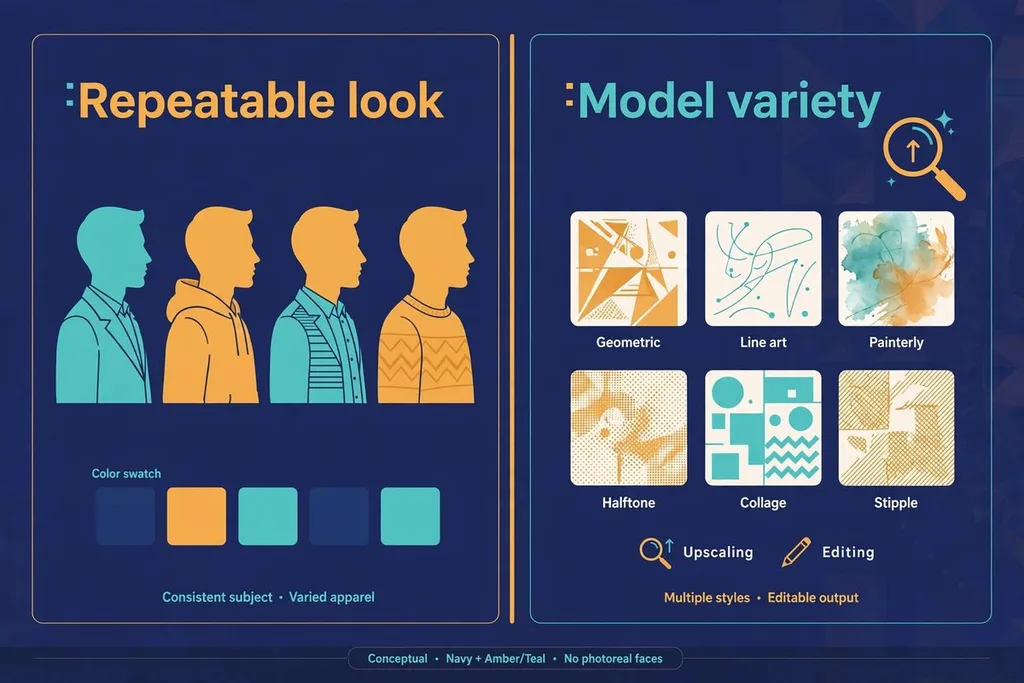
Higgsfield leans on its own Soul 2.0 model. Our earlier Higgsfield Soul 2.0 guide covers Moodboards and Soul ID in depth. Higgsfield’s comparison lists Soul Reference, color-palette control from up to twenty reference images, Moodboards built from 20 to 80 references, and a Photodump tool that makes fifteen photos of one character at once. That suits an image series where one person and one palette must repeat. higgsfield
OpenArt leans on breadth. The same comparison credits OpenArt with image variations, an upscaler of up to 11 times, Expand Image and area editing. OpenArt also supports training personalized models for a person, product or style, and its plan cards cap how many characters you can hold, from roughly 13 on Starter to about 353 on Wonder. higgsfieldopenart
Who wins images? Higgsfield fits creators who want a branded, repeatable look from one proprietary model. OpenArt fits creators who want to test many models quickly and refine single images with editing tools.
Higgsfield AI vs OpenArt: AI Video Generation
Both platforms support text-to-video and image-to-video through third-party models. The difference is how much control wraps the generation.
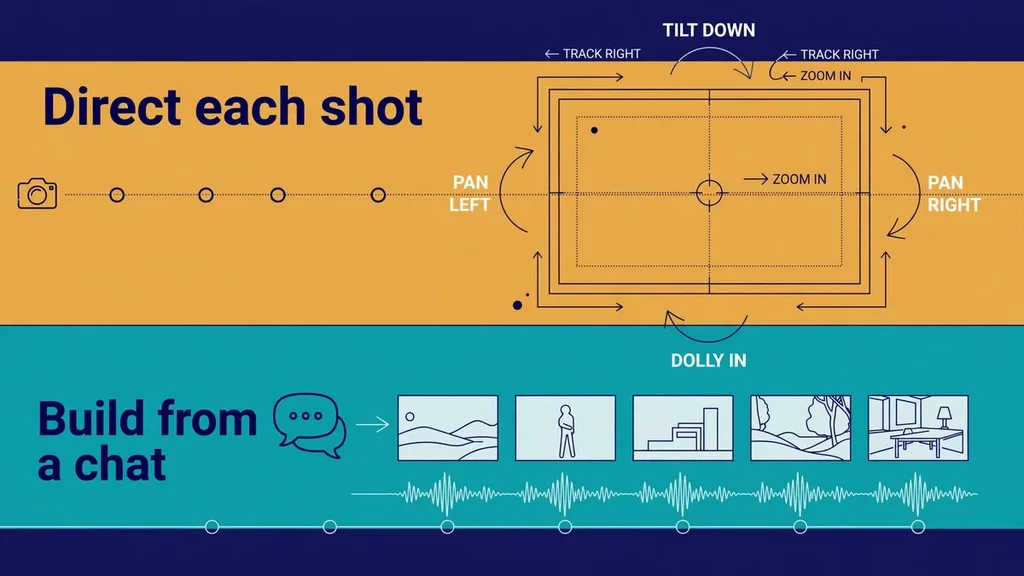
Higgsfield’s video surface is Cinema Studio. Its page describes native 4K and generations up to one minute, six genres, camera movement tags, color grading, and an assistant that can pick camera and light. A caution: Higgsfield’s own comparison says Cinema Studio 4.0 clips run up to 30 seconds, and its credit table prices a 30-second Seedance 2.5 clip. The two Higgsfield pages disagree on the maximum, so confirm the limit for your model before planning a long shot. higgsfieldhiggsfield
OpenArt’s video surface is split in two. Image to Video and Text to Video handle single clips, and Smart Shot builds a storyboard and then one video with several cuts. Director handles the long form, covered below.
Resolution and duration depend on the model you select, not the platform. For example, Higgsfield lists Seedance 2.0 at 720p, 1080p and 4K, with a five-second 4K clip costing 130 credits against 30 at 720p. Our Higgsfield Seedance 2 explainer walks through that model’s inputs and cost behavior. higgsfield
Higgsfield AI vs OpenArt Character Consistency
Character consistency is the most practical split in higgsfield ai vs openart, because the two platforms start from different inputs.
Higgsfield starts with training. Soul ID is trained on 20 to 80 photos of one person, and creating one costs 25 credits. Soul ID characters require a paid plan, and monthly character generations are capped by plan, from up to 6 on Starter to up to 100 on Ultra on monthly billing. For video, Elements store characters, locations and props, and Kling 4.0 can tag up to seven Elements in one generation. In Cinema Studio, AI Cast builds actors you define by genre, era, outfit and physique. Higgsfield AI vs OpenArt 2026: Features and Pricing Compared +3
OpenArt starts with a reference. A character can begin from one main photo, with up to three extra angles, an optional voice and a backstory, and Multi-View can produce nine angles. OpenArt’s materials describe Director keeping faces, voices, places and products looking the same in every scene, though an independent review cautions that a five-minute length does not guarantee consistency in every scene. Higgsfield AI vs OpenArt 2026: Features and Pricing Compared +2
The practical difference: Higgsfield asks for more upfront (a photo set) and gives a trained identity that works best for realistic people in images. OpenArt asks for less and gets you a usable recurring character faster, which suits mascots, cartoon casts and story series. Neither guarantees perfect faces across every shot.
Multi-Scene Video and AI Filmmaking
Higgsfield gives two routes. Cinema Studio is the director’s chair: genre, era, tempo, lens and camera body, plus editing such as extending a clip or fixing one region. Supercomputer is an agent that plans and assembles a project, available on paid plans only. We have not verified Supercomputer’s output quality independently. higgsfield
OpenArt gives Director. Director builds a multi-scene video up to five minutes from one chat, with storyboard, characters and sound in one project. Templates cover short films, music videos, product ads, UGC ads and more. A fair caution from an independent review: repeated scene generation and revision can consume credits quickly, so budget before iterating. Director Mode +2
Which suits which job?
- Short clips and social video: Higgsfield for shot control, OpenArt for fast character-led clips.
- Storytelling and short films: OpenArt Director for assembly; Higgsfield Cinema Studio if you want to direct every shot yourself.
- Advertisements and product video: Higgsfield has dedicated ad tools; OpenArt has Product Ads and UGC Ads templates.
- Multi-scene projects with sound: OpenArt, because audio is generated in the same project.
AI Audio, Voice, and Sound
On audio, higgsfield ai vs openart is the most lopsided part of the comparison: OpenArt has the clearer audio story. Its audio menu lists voice-over, music generation, sound effects, voice cloning and a voice changer. Dub Video translates a clip into up to ten languages and re-aligns the lips. openartopenart
Higgsfield’s audio comes mostly through video models and dedicated tools. Its pricing explainer lists Higgsfield Speak and Wan 2.5 Speak for lipsync and prices Veo 3 clips with audio, and Cinema Studio 4.0 produces native audio while version 3.5 has none. We could not verify a Higgsfield voice-cloning or music-generation product from official pages, so we do not compare those here. higgsfieldhiggsfield
Higgsfield AI vs OpenArt Pricing
Prices checked November 22, 2026. OpenArt figures come from its live pricing page; Higgsfield figures come from its pricing explainer dated October 24, 2026, cross-checked against recent reviews. Both companies change prices often, and OpenArt is currently running a Black Friday promotion with model discounts through November 30.
Higgsfield plans
Higgsfield’s explainer lists Free at $0 with no monthly credits, Starter at $15 for 200 credits, Plus at $49 for 1,000, and Ultra at $129 for 3,000, with Team and Scale plans billed per seat. The same page says paid plans include commercial use and that Free-plan output can carry a visible watermark. higgsfield
A conflict worth knowing: other reviewers report a US plan set with Starter at $19 for 270 credits and Plus at $59 for 1,200, and say Higgsfield shows different plan sets in different countries. We could not load the live pricing page, which renders in the browser, so we cannot settle which set you will see. Both sets work out to roughly $0.049 per credit on Plus, so the per-clip comparison below holds either way. Annual billing lowers Plus and Ultra, but published annual figures vary between sources, so read yours on the page. camclo3d
Unlimited rules. Unlimited means selected models stop charging credits while a toggle is on; Plus and Ultra share a 365-day set of image models. Reviewers note it works only on the Higgsfield site, not through MCP or the CLI. Kling 4.0 always uses credits in Higgsfield’s own comparison. higgsfieldai-media-studio
OpenArt plans
OpenArt lists Starter at $14 for 4,000 credits, Plus at $34 for 12,000, Pro at $56 for 24,000, and Wonder at $240 for 106,000, with annual billing and a limited Black Friday discount of up to 40 percent on annual plans. Every paid plan is watermark-free. Commercial use starts at Plus, and the help center says no public API is available. An extra-credit add-on costs $15 per month for 5,000 credits and requires Plus or higher. The OpenArt free tier’s current credit allowance needs clarification: older reports mention 40 trial credits, but the live pricing page we read lists only paid plans. OpenArt Pricing – AI Art Generation Subscription Packages +2
Credits are not a shared currency
One Higgsfield credit is not one OpenArt credit. Higgsfield’s Plus plan costs about $0.049 per credit. OpenArt’s Starter costs about $0.0035 per credit, and Pro about $0.0023. The meaningful comparison is dollars per finished generation.
Which Platform Is Cheaper?
In any higgsfield ai vs openart cost check, the answer depends on the model, resolution, duration, plan and number of retries. Here are three sample five-second clips. The Higgsfield Plus and OpenArt Starter columns come from Higgsfield’s published comparison, which is a vendor source, so treat it with care; the other columns are our arithmetic from the same credit counts.
| Clip | Higgsfield Plus ($49) | Higgsfield Ultra ($129) | OpenArt Starter ($14) | OpenArt Pro ($56) |
|---|---|---|---|---|
| Kling 4.0, 720p | ≈ $0.67 | ≈ $0.59 | ≈ $2.10 | ≈ $1.40 |
| Seedance 2.5, 720p | ≈ $1.72 | ≈ $1.51 | ≈ $2.28 | ≈ $1.52 |
| Seedance 2.5, 1080p | ≈ $3.92 | ≈ $3.44 | ≈ $5.62 | ≈ $3.75 |
Higgsfield’s comparison puts Kling 4.0 at 720p at 600 OpenArt credits and Seedance 2.5 at 720p at 650 credits, and an independent review also puts a five-second 720p Seedance 2.5 clip near 650 credits on OpenArt. Two takeaways follow. Higgsfield is clearly cheaper for Kling 4.0 in this sample. For Seedance 2.5, the gap nearly vanishes once you compare OpenArt Pro against Higgsfield Plus. Both platforms show the exact price on the Generate button, so check there before committing. Retries multiply every number, since completed generations are charged even if you discard them. higgsfieldbythentic
Image-heavy work flips the picture. Higgsfield prices some image generations at a single credit or less, but OpenArt’s large credit pools are built for volume. We did not find a like-for-like image cost comparison, so run your own test batch. higgsfield
Higgsfield AI vs OpenArt for Different Users
Higgsfield AI vs OpenArt for Beginners
OpenArt’s one-photo character and chat-driven Director have a gentler start. Higgsfield’s Cinema Studio offers a built-in assistant, but its control panel is deeper to learn.
Higgsfield AI vs OpenArt for AI Video Creators
Higgsfield for per-shot control and lower prices on some models; OpenArt for story assembly and audio.
Higgsfield AI vs OpenArt for AI Image Creators
Higgsfield for a signature look from Soul 2.0 and Soul ID; OpenArt for model variety, upscaling and editing.
Higgsfield AI vs OpenArt for Filmmakers
Higgsfield Cinema Studio gives lens, era and camera control. Filmmakers who want rough-cut speed may prefer OpenArt Director for first drafts.
Higgsfield AI vs OpenArt for Social Media Creators
Either works. Choose OpenArt for recurring-character series with voice, Higgsfield for ad-style hooks and trend formats.
Higgsfield AI vs OpenArt for Marketing Teams
Higgsfield has Marketing Studio and ad-oriented MCP skills. OpenArt Director has product and UGC ad templates and brand-asset consistency.
Higgsfield AI vs OpenArt for Agencies
Higgsfield publishes Team and Scale seats with spend controls and a public API. OpenArt needs Plus or higher for client work.
Higgsfield AI vs OpenArt for Content Creators
OpenArt’s audio suite and dubbing help with narrated or multilingual content.
Higgsfield AI vs OpenArt for Character-Focused Creators
Higgsfield for realistic trained people; OpenArt for fast mascots, story casts and many saved characters.
Higgsfield AI vs OpenArt for Businesses
Higgsfield suits teams that need an API. OpenArt suits teams that already work inside Claude, ChatGPT or Cursor, since OpenArt MCP connects with no API key and uses the same credit pool as the web app. Both offer MCP: Higgsfield’s MCP page also lists no API key and more than 30 models. openart.ai +2
Higgsfield AI vs OpenArt for Users on a Budget
OpenArt’s Starter is cheaper per month, but it has no commercial rights. Higgsfield’s Free plan gives no credits. Compare the cost of the exact clips you plan to make.
Higgsfield AI Pros and Cons
Pros
- Deep camera, lens, era and color controls in Cinema Studio.
- Trained Soul ID characters and shared Elements for productions.
- Lower per-clip cost on some video models in the sample above.
- Public API and MCP, with commercial use on paid plans.
Cons
- Plan sets and prices appear to vary by region and between sources.
- Unlimited access has fine print and does not apply through MCP.
- Soul ID needs a paid plan and 20 or more photos.
- Conflicting published limits on Cinema Studio clip length.
- One independent reviewer describes aggressive marketing and says its terms may allow training on user data; verify this in the terms before uploading sensitive material. thespinozajournal
OpenArt Pros and Cons
Pros
- Director builds up to five-minute, multi-scene films with sound.
- One-photo characters, Multi-View and optional training.
- Broad audio suite with voice cloning and dubbing.
- Lower price per credit on higher plans, with MCP and CLI.
Cons
- No commercial rights below Plus.
- No public API.
- Video credit use can climb quickly, especially with Director revisions.
- Credit counts differ by model, which makes budgeting harder.
Higgsfield AI vs OpenArt: Which One Should You Choose?
- Choose Higgsfield if you prioritize camera control, a trained realistic face, ad workflows, an API or lower costs on certain models.
- Choose OpenArt if you prioritize story assembly, quick reusable characters, audio and dubbing, or a very wide model library.
- If you need both, consider generating character art on OpenArt and directing hero shots on Higgsfield, but check that the licenses of both plans cover your use.
- If you sell your output, start at OpenArt Plus or any paid Higgsfield plan, not OpenArt Starter.
Higgsfield AI vs OpenArt: Final Verdict
The honest answer to higgsfield ai vs openart is that it depends on your unit of work. If you think in shots, Higgsfield AI gives you more levers per frame and a clearer path to automation. If you think in stories, OpenArt gives you faster character setup, a longer assembled film and the stronger audio kit. On price, run the exact clip you need on each plan, because the winner changes with the model. Before you subscribe to either, test one character and one scene, and read the Generate button’s price. Our Higgsfield AI review and What Is Higgsfield Soul 2.0 explainer give more Higgsfield-side detail.
Frequently Asked Questions
Is Higgsfield AI better than OpenArt?
Not universally. In higgsfield ai vs openart, Higgsfield is stronger for shot-level control and trained characters, while OpenArt is stronger for story assembly and audio.
Is OpenArt cheaper than Higgsfield?
OpenArt’s entry plan has a lower monthly price, but the cost per clip depends on the model. In the sample above, Higgsfield was cheaper for Kling 4.0 and near parity with OpenArt Pro on Seedance 2.5.
In higgsfield ai vs openart, which is better for AI video?
Pick Higgsfield for directing individual shots and OpenArt for building longer sequences with sound.
In higgsfield ai vs openart, which is better for AI images?
Higgsfield suits a consistent look from its own Soul model. OpenArt suits model variety and editing. No neutral benchmark was found.
Can Higgsfield and OpenArt use the same AI models?
Yes. Both offer models such as Kling 4.0 and Seedance 2.5, which other companies built. The platform differs in price and tools.
In higgsfield ai vs openart, which platform is better for consistent characters?
For realistic people in images, Higgsfield’s Soul ID. For fast reusable characters and story casts, OpenArt’s Character Builder.
Does Higgsfield have a free plan?
Yes, but it includes no monthly credits, limits you to some models and may add a watermark.
Does OpenArt have a free plan?
It advertises a free start, but its live pricing page lists only paid plans, and free-tier output is reported to be watermarked and non-commercial. Check the current allowance.
Which platform is better for commercial content?
Higgsfield says paid plans include commercial use. OpenArt requires Plus or higher. In both cases, read the terms for your project.
What does higgsfield ai vs openart mean for filmmakers?
It means choosing between per-shot control in Cinema Studio and chat-built films in Director.
Sources & References
- Higgsfield, “Higgsfield Pricing Explained: Plans, Credits, and What’s Included” (October 24, 2026): https://higgsfield.ai/blog/higgsfield-pricing-explained
- Higgsfield Help Center, “How do Higgsfield plans work?”: https://higgsfield.ai/creator-hub/help-center/plans/how-do-higgsfield-plans-work
- Higgsfield, Cinema Studio: https://higgsfield.ai/cinematic-video-generator
- Higgsfield MCP: https://higgsfield.ai/mcp
- Higgsfield, “Higgsfield AI vs OpenArt 2026: Features and Pricing Compared” (vendor-authored): https://higgsfield.ai/blog/higgsfield-vs-openart-2026
- OpenArt Pricing: https://openart.ai/suite/pricing
- OpenArt Help Center: https://openart.ai/help/
- OpenArt MCP: https://openart.ai/mcp/
- OpenArt, “MCP vs CLI for AI image and video generation”: https://openart.ai/blog/mcp-vs-cli-ai-image-video-generation/
- OpenArt Director press release: https://openart.ai/blog/openart-director-press-release/
- OpenArt Director Mode: https://openart.ai/features/director/
- OpenArt Audio: https://openart.ai/suite/audio
- OpenArt Dub Video: https://openart.ai/features/ai-video-dubbing/
- Independent: OpenArt Director review (The Rundown): https://www.therundown.ai/tools/openart-director
- Independent: OpenArt Review 2026 (Bythentic): https://bythentic.com/openart-review/
- Independent: Higgsfield vs OpenArt (The Spinoza Journal): https://thespinozajournal.com/comparisons/higgsfield-vs-openart
- Independent: Higgsfield Pricing 2026 (Camclo3D): https://camclo3d.com/blog/higgsfield-pricing
- Independent: Higgsfield Pricing 2026 (AI Media Studio): https://www.ai-media-studio.com/higgsfield-pricing
 Daniel Carter
1 comment