
In this article
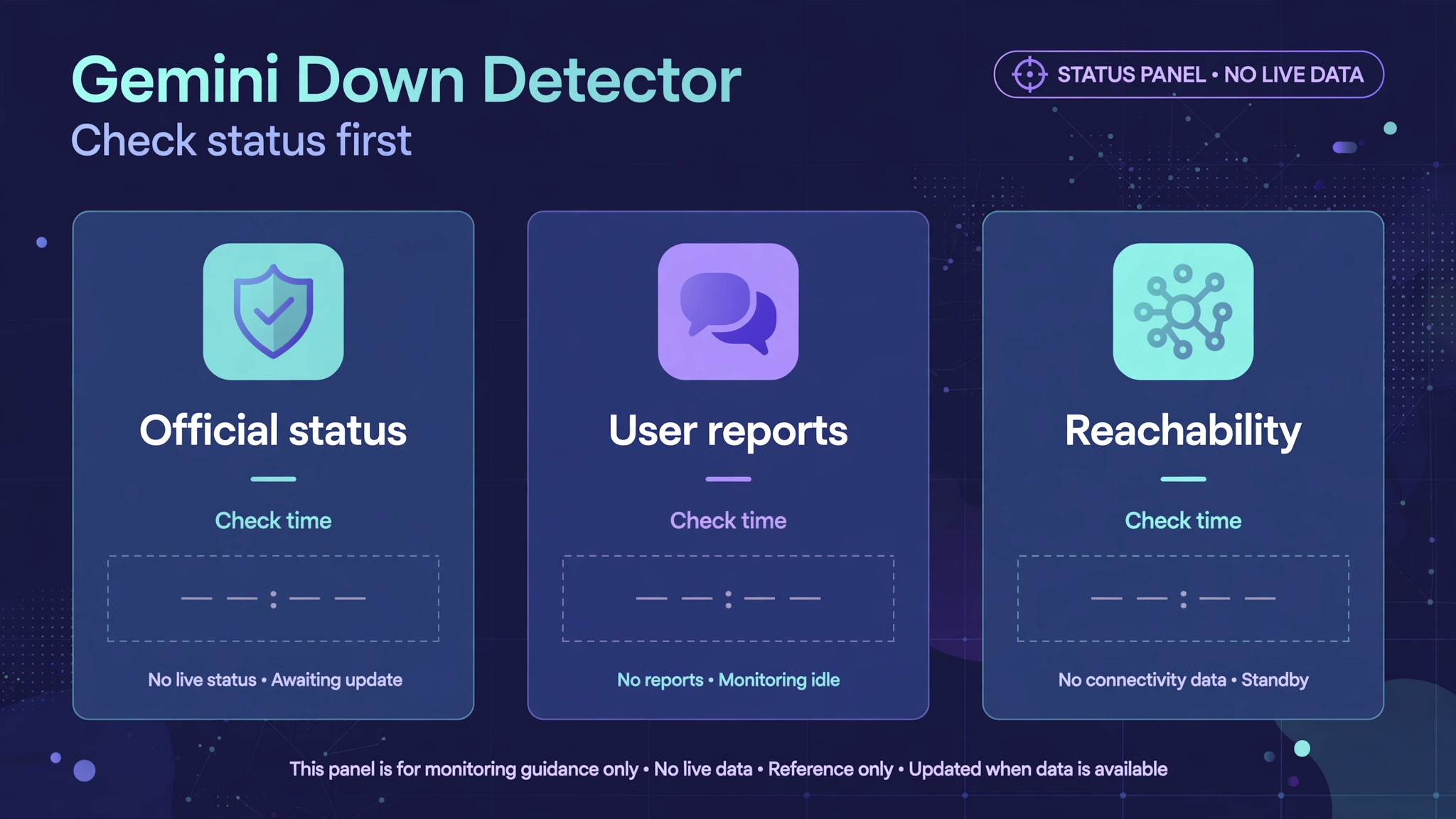
Is Gemini down? A gemini down detector is any tool or routine that tells you whether Google Gemini is failing for everyone or only for you. The quickest reliable answer comes from stacking four signals: Google’s official status pages, crowd-sourced outage reports, an independent reachability test, and a retry on a second browser, device or network. When Google lists an incident and complaints spike together, the fault is probably on Google’s side. When every dashboard is quiet and Gemini works elsewhere, suspect your account, browser, app or connection.
This gemini down detector guide walks through each check, explains why the signals sometimes contradict one another, and records what real Gemini incidents have looked like so you can judge what you are seeing. It keeps five things apart that outage articles often blur: current status, recent history, user reports, official Google incidents, and problems that live on your own device.
Table of Contents
Gemini Status Right Now: What This Page Can and Cannot Tell You
Live status: not verified in this edition. Research window: November 13, 2026. No live reading was taken at publication, so this page does not claim that Gemini is up or down today.
The reason is practical. While this guide was being researched, the copy of the Google Workspace Status Dashboard that loaded listed no incidents, but its own “last updated” stamp was October 26, 2026, more than two weeks earlier. Search results also surfaced third-party status pages with clashing snapshots at the same moment: one suggested an outage was likely, while another said Gemini was working normally. A gemini down detector reading is only useful when you can see how fresh it is. Google Workspace Status Dashboard +2
To get a trustworthy answer today, work through the seven gemini down detector methods below and note the timestamp on every status you read. A status with no visible time deserves no trust.
What Is a Gemini Down Detector?
There is no single product called a gemini down detector. The phrase covers three kinds of tool, and each answers a different question.
- Crowd-report sites, such as Downdetector, chart how many people filed a complaint in a given window. They answer: are unusually many people in trouble right now?
- Official dashboards, chiefly the Google Workspace Status Dashboard, answer: has Google confirmed an incident? Some writers even call that dashboard a Workspace down detector, which shows how loosely the term is used. workalizer
- Independent probes request gemini.google.com from servers in several places and report whether it responds. They answer: is the site reachable at all?
None of these can tell you whether your own login, browser profile or Wi-Fi is the culprit. That is why a gemini down detector works best as the first step of a diagnosis rather than the verdict.
One naming trap deserves a warning. Gemini is also the name of a cryptocurrency exchange, and some monitoring pages labelled “Gemini” follow that company’s own status page, with incidents such as a pricing problem on perpetual contracts. If a page mentions trading, withdrawals or price indexes, it is not describing Google’s assistant. Before you trust any gemini down detector, confirm that it names Google Gemini or gemini.google.com. pingoruisdown
For a plain-language tour of what the assistant itself does, see our guide to Gemini’s core characteristics.
Is Gemini Down Right Now? A Three-Question Triage
Before opening any tool, answer three questions, because they decide which tool you need.
- Which surface is failing? The Gemini website, the phone app, the Chrome side panel, Gemini inside Gmail or Docs, or an API call from your own code? Google has reported incidents that hit several surfaces at once and others that hit only some.
- What exactly happens? A page that never loads, a prompt that returns “Something went wrong,” a missing chat history and a rate-limit message all point in different directions.
- Is anyone else seeing it? One person failing while colleagues succeed on the same network points toward the account or device. Many people failing across different networks points toward the service.
A gemini down detector helps with the third question; you answer the first two by looking at your own screen. With all three answers in hand, the methods below will confirm or overturn your first suspicion.
How to Check Gemini’s Current Status: 7 Gemini Down Detector Methods
Use these in order. The first two are official, the next two are outside signals, and the last three are your own tests.
1. Open the Google Workspace Status Dashboard
Google lists Gemini as a product on the Google Workspace Status Dashboard, which shows current and past incidents. Google’s help article explains that a final update is posted when an issue is resolved, that the dashboard offers RSS and JSON feeds, and that a service’s history reaches back up to five years. If you administer a Workspace domain, the RSS feed is the fastest alert channel; Google recommends it even for moments when Gmail itself may be disrupted. google
Do not read the dashboard as the whole truth. Google’s June 2026 incident report said consumer accounts were hit along with Workspace customers, so the dashboard can describe consumer-facing trouble. Yet some real spikes never appear there, as the October 2026 example later in this guide shows. Of all the gemini down detector signals, an official post carries the most weight. Treat a posted incident as strong confirmation and a quiet dashboard as “not confirmed,” not as “fine.” google
2. Check the Gemini API and Google Cloud status pages
Developers need a different page. Google’s Gemini API documentation tells you to consult the Gemini API status page when you receive 500 or 503 responses, and monitoring sites point to aistudio.google.com/status as that page’s address. Teams calling Gemini through Vertex AI should look at Google Cloud Service Health, which lists a product named Vertex Gemini API with its own incident history. A gemini down detector that watches only the consumer app will miss API trouble entirely. Troubleshooting guide +2
3. Read a crowd-sourced gemini down detector
Open a report site such as Downdetector and study the shape of the chart, not just the number. A flat line with small bumps is normal background noise. A steep climb within minutes, ideally with comments describing the same symptom from several countries, suggests a real event. Remember that these counts are self-reported, say nothing about cause, and are quoted differently by different outlets for the same incident.
4. Run an independent reachability probe
An independent probe is the gemini down detector that tests the site itself rather than people’s complaints. Probe-style pages request gemini.google.com from a network of check locations and tell you whether it answers. They are good at catching a total website failure and weak at catching a partial one. During Google’s June 2026 incident, roughly half of prompts failed while the service stayed online, exactly the situation in which a simple “site is up” check can show green. host-trackergoogle
5. Test a second Gemini surface
Try gemini.google.com in a browser, then the mobile app, then Gemini in Chrome or inside a Workspace app if you use one. If only one surface fails, the client or its settings are the likelier culprit. If all fail together, a service-side cause becomes more probable, as in the June 2026 incident, which Google said spanned web, mobile and Chrome. google
6. Try a second device and network
Your own second device is a gemini down detector with one big advantage: it tests your exact situation. Switch from Wi-Fi to mobile data, or borrow another device. Success on the new route means your original device or network is the problem, whatever any status page says.
7. Cross-check reputable news coverage
News coverage is the gemini down detector of last resort. When a large outage unfolds, technology outlets often run timestamped live blogs. They are useful for corroboration but secondary: check the publication time, because an article about a past outage can keep ranking for weeks and look current.
Google Gemini Status vs User Reports: Why the Signals Disagree
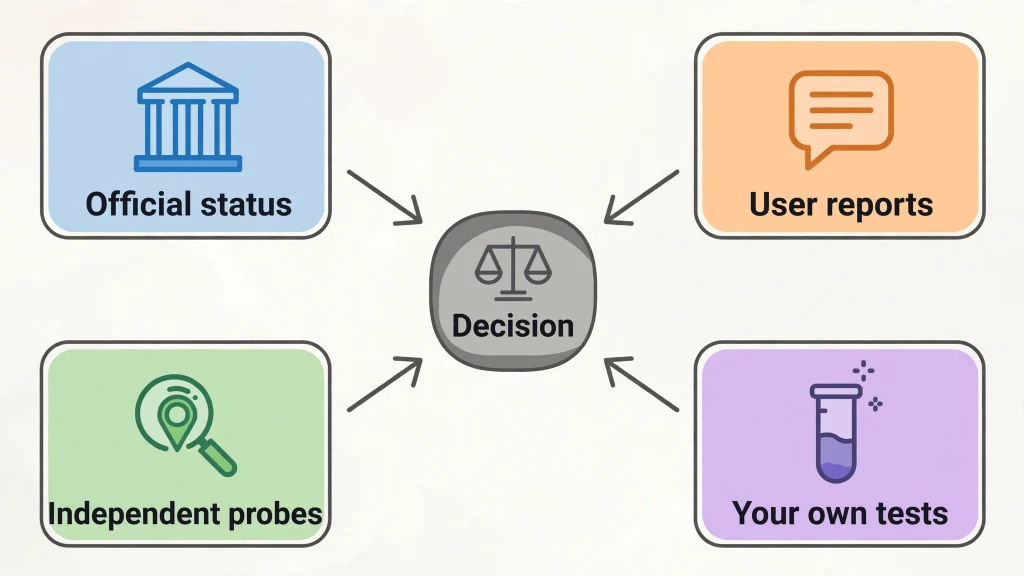
Every gemini down detector sees only a slice of the picture. Official incident posts and crowd reports measure different things, so they will not always match.
Official status reflects a decision by Google engineers to declare an incident. It is strong evidence once it appears, but it can trail the first complaints or never appear for a short event. User reports react within minutes and catch problems nobody has formally declared, yet they can be inflated by social-media attention or by an unrelated fault in an app that Gemini users also rely on. Independent monitoring shows reachability from outside, and your own troubleshooting shows whether the problem follows you.
The October 8, 2026 event shows the gap clearly. Tom’s Guide counted several thousand Downdetector complaints, its live log quoting figures between roughly 4,000 and 5,000, while Google’s status page kept saying all systems were operational. By the outlet’s own timestamps the trouble faded after about an hour, with no official acknowledgment. Another outlet described the same day as nearly 10,000 reports. When a gemini down detector and the official page disagree, the honest reading is “something affected many users, cause unconfirmed.” tomsguideascendants
The signals can also agree. On September 29, 2025, Google’s dashboard recorded a global, 49-minute incident affecting Workspace Gemini, and Downdetector complaints climbed to nearly 3,000 that same morning. googletomsguide
The same status-first habit applies to other assistants. Our walkthrough on checking Claude Code status shows the pattern for Anthropic’s developer tool.
How to Tell if Gemini Is Down for Everyone: Gemini Down Detector Signals
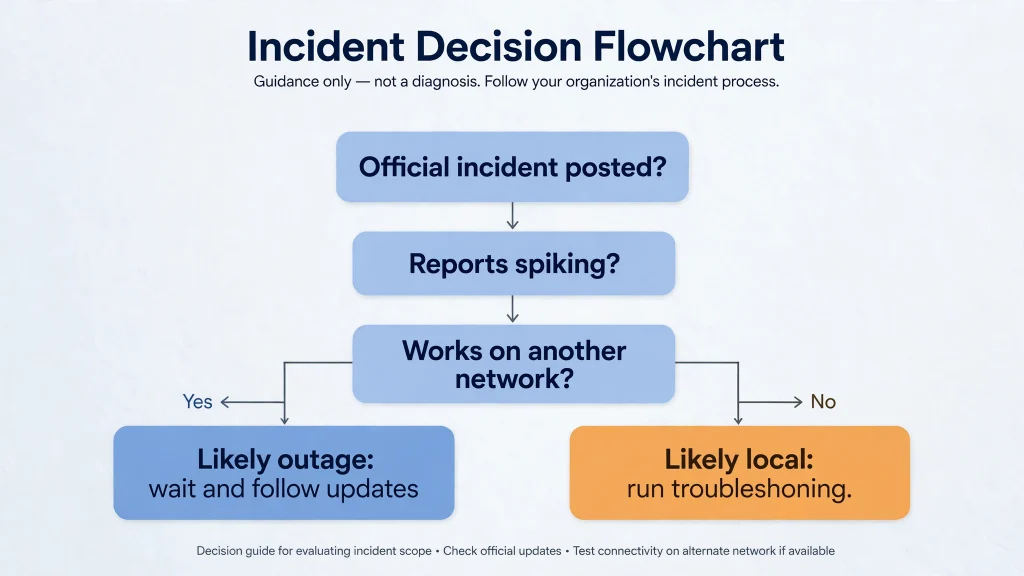
No single gemini down detector can prove a global outage, so look for convergence. The more of these line up, the likelier a service-side problem:
- Many independent people report the same symptom within the same few minutes, across different countries or networks.
- Several surfaces fail together: website, app and Chrome panel.
- Google posts an incident on the Workspace dashboard, Google Cloud Service Health or the Gemini API status page.
- Probes from several regions fail to reach the site, or the messages you see match ones Google has publicly tied to an incident.
- Gemini fails on mobile data as well as on home Wi-Fi.
One signal alone is weak. A report spike without an official post means “possible widespread issue.” An official post without a spike may describe something small or feature-specific, as when Google’s February 2026 incident affected chat history while new chats kept working. Good use of a gemini down detector means counting how many signals agree, not trusting the loudest one.
How to Tell if Gemini Is Only Not Working for You
If no gemini down detector shows a problem and a second network or device works, look at these local suspects.
- Browser state. Stale cookies or a bloated cache can break a signed-in session. A private window is the quickest test.
- Extensions. Ad blockers, privacy tools and script blockers can interfere with a web app. Switch them off temporarily instead of uninstalling them.
- Internet connection. Weak Wi-Fi, a captive portal or a throttled mobile link can cause timeouts that look like outages.
- DNS problems. If other sites load but Gemini does not, changing networks is the simplest DNS test, and it needs no technical settings.
- VPN or proxy. A VPN can route your traffic through addresses or regions where services behave differently. Pause it and retry.
- Account and session. Signing out and back in, or trying a second Google account, tests whether the account is the issue. Work and school accounts may also be limited by administrator settings.
- App problems. An outdated app build or damaged local data can fail while the website works.
- Device issues. Low storage, an old operating system or battery-saver limits can get in the way.
Outage vs Local Problem: Quick Comparison Table
Use this table after you have consulted a gemini down detector and tried one second device. Treat each row as a starting point rather than a diagnosis, because the same symptom can have more than one cause.
| Situation | Likely explanation | What to check |
|---|---|---|
| Gemini fails for many users | Possible widespread outage | Official status + outage reports |
| Website loads but prompts fail | Possible service or model issue | Status + current reports |
| App fails but website works | App-specific issue | App update, cache, status |
| API fails but Gemini website works | API-specific issue | Google Cloud and API status |
| Gemini works on another network | Local network issue | DNS, VPN, router |
| Gemini works in incognito mode | Browser or extension issue | Extensions, cache |
| Only one account fails | Account or session issue | Sign out and in, account status |
Common Gemini Errors During Outages
Only messages that appear in Google’s own incident records or documentation are treated as verified here. One more is flagged as user-reported.
| Message or code | Where it appeared | What it does and does not prove |
|---|---|---|
| “Something went wrong” | June 2026 incident, when about half of prompts failed | Generic wording that also shows up for purely local problems, so it proves nothing alone |
| “Something went wrong” with codes 1099 and 1076 | Google’s dashboard updates for the same June 2026 incident | Google named these codes for that event only |
| “Something went wrong(13)” | May 2026 incident record on elevated conversation errors | Tom’s Guide reported that Google Help ties code 13 to handshake failures, browser conflicts or account desync, so the code alone does not confirm an outage |
| “Gemini is currently on a break. Give it a moment and try again later.” | May 2025 incident affecting Workspace customers on gemini.google.com | Appeared during a confirmed incident |
| INTERNAL_ERROR with 500 | September 2025 Workspace Gemini incident | Tied by Google to a bad change that was rolled back |
| 1155 | Quoted by commenters during the October 2026 spike | User-reported only; Google never confirmed that event |
When you read comment threads on a gemini down detector page, expect people to paste codes from every kind of failure, local and global. Developers see a separate set. Google’s API documentation lists 429 RESOURCE_EXHAUSTED for exceeded rate limits, 500 INTERNAL, 503 UNAVAILABLE for a service that may be overloaded or down, and 504 DEADLINE_EXCEEDED when a prompt is too large to process in time. A 429 is a quota matter rather than an outage. For 500 and 503 the documentation points you to the Gemini API status page, and it advises retrying only transient errors, not client errors such as 400 or 403. googlegoogle
No gemini down detector can decode a code for you, and a code appearing once does not mean the whole service is down. Use the code as a search clue, then confirm with the official pages.
Gemini Web vs Gemini App vs Gemini API vs Workspace
“Gemini” is several doors into the same house, and each can stick on its own.
- The Gemini website and mobile apps are what most people mean when they ask whether Gemini is down.
- Gemini in Chrome is a side panel that Google listed among the affected surfaces in June 2026, when it suffered persistent timeouts alongside the app.
- Gemini inside Workspace covers Gmail, Docs, Drive and related tools, and Google’s Workspace dashboard is the natural place to look.
- The Gemini API and Google AI Studio serve developers, with their own status page and their own error codes.
- Vertex AI serves cloud customers and is tracked on Google Cloud Service Health.
History shows these surfaces can diverge. In February 2026 Google reported missing chat history on web and mobile while new conversations worked. On February 27, 2026, Google Cloud logged increased errors on the Vertex Gemini API’s global endpoint. On September 3, 2026, the AI Studio status page mentioned trouble serving recently created API keys. Each gemini down detector page usually watches one door, so a tool built for one surface can stay green while another is failing. Check the surface you actually use. googleladbible
To learn more about the assistant’s features and how it behaves, our overview of Gemini’s characteristics is a helpful companion.
What to Do When Gemini Is Down
Once you have confirmed or strongly suspect a service-side problem, the goal is to protect your work and avoid making things worse.
- Pause the retries. Rapid resubmission adds load and rarely helps. Wait a few minutes, then try once. Developers should follow Google’s guidance on exponential backoff for transient errors. google
- Save your prompts. Keep important prompts in a local document so a failed session does not cost you your draft.
- Try another model if you use the API. Google’s documentation suggests switching to a different model when you see a 503.
- Follow the official update. Google’s incident notes usually promise a next update time. Check then instead of refreshing constantly, and look at your chosen gemini down detector at set intervals, say every fifteen minutes.
- Use a fallback tool for urgent work. If a deadline is close, another assistant or a manual route beats waiting on a recovery time nobody can promise.
- Report what you see. Developers can use the feedback button in Google AI Studio, and Workspace customers can contact Google Workspace support.
Step-by-Step Troubleshooting When a Gemini Down Detector Shows No Outage
When the official pages are quiet and reports are flat, treat the problem as local and work through this list in order. Stop as soon as Gemini works.
- Refresh Gemini. A hard refresh clears a half-loaded page.
- Check official status. Look at the Workspace dashboard, plus the API status page if you are a developer.
- Check a crowd-sourced gemini down detector. Look at the chart shape, not just the count.
- Open a private window. This bypasses most cookie and extension problems.
- Try another browser. If it works there, the first browser’s profile is at fault.
- Disable problem extensions temporarily. Start with ad blockers and script blockers.
- Sign out and back in. Do it for every Google account active in that browser.
- Try another device. A phone or a second computer isolates device problems.
- Test another internet connection. Mobile data is the easiest alternative.
- Pause any VPN or proxy. Re-enable it afterward.
- Update the Gemini app. Install the latest build and restart the phone if needed.
- Check which feature fails. If only image creation, file upload or one tool breaks, the fault may be that feature, not all of Gemini.
- Wait and retry if a confirmed outage is underway. Nothing on your side will speed a service-side fix.
Skip anything drastic: you do not need to reset your device, change DNS settings or delete your Google account to deal with a Gemini problem.
Recent Gemini Outages (Historical, Not Current)
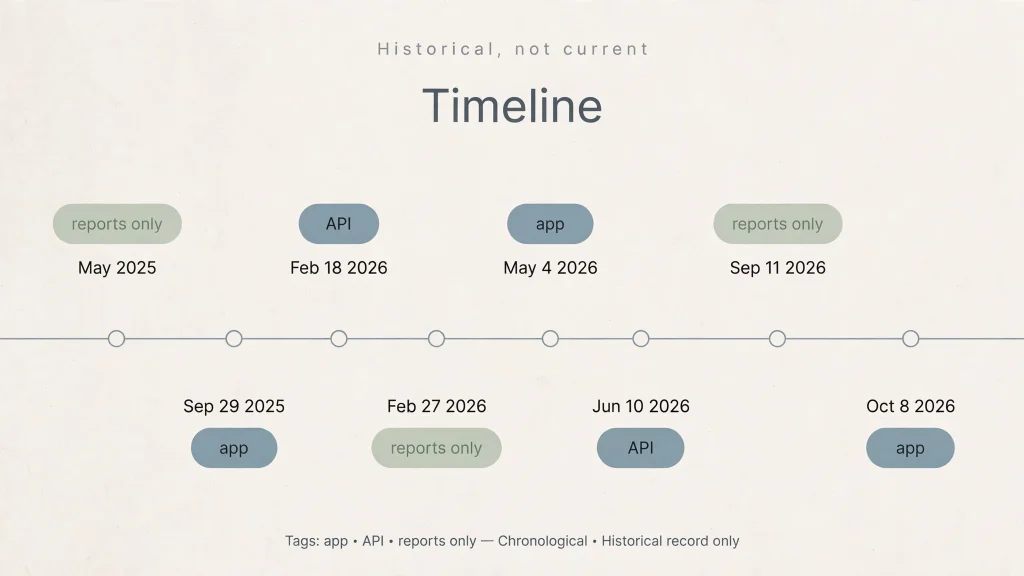
A gemini down detector page can display old incidents as if they were current, so every entry below carries its date. Everything in this section is a past event. None of it says anything about Gemini’s status today. Durations come from Google’s own records where available and from press timestamps otherwise.
October 8, 2026: report spike, no official post
- Surface: consumer Gemini, based on user reports.
- Symptoms: failed prompts and “Something went wrong” messages, with error 1155 mentioned by commenters.
- What Google said: its status page continued to show all systems operational, and the event was never acknowledged there.
- Duration: about one hour by Tom’s Guide’s timestamps, not confirmed by Google.
- Resolution: it appeared to clear on its own.
September 11, 2026: Gemini 3.1 Pro errors
- Surface: Gemini Web and the Gemini app.
- Symptoms: intermittent elevated error rates on Gemini 3.1 Pro models for a subset of users. google
- What Google said: the issue was triggered by a recent rollout and mitigated with a code change.
- Duration: 6:00 to 13:22 Pacific, listed as 7 hours 22 minutes.
- Resolution: closed.
September 3, 2026: several AI services report trouble
- Surface: consumer Gemini reports and the Gemini API.
- Symptoms: Downdetector reports began around 8:44 a.m. Eastern; the AI Studio status page cited problems serving recently created API keys, including through OpenAI-compatible libraries. gulfnewsladbible
- What Google said: at the time of early coverage, Google had not confirmed a widespread consumer outage.
- Duration: not reliably documented in the sources reviewed.
- Resolution: not documented here.
June 10, 2026: errors across web, mobile and Chrome
- Surface: the Gemini app on web, iOS and Android, plus the Chrome side panel, for consumer and Workspace users.
- Symptoms: about a 50% error rate on prompts, “Something went wrong” messages with codes 1099 and 1076, timeouts in Chrome, and a disabled “Add from Drive” option for some enterprise users.
- What Google said: the final report blamed heavy read contention in a database service that holds tool deployment metadata. Fixes included throttling, redistributing index values and lengthening a cache lifetime from one minute to twenty. google
- Duration: Google’s updates said most users stopped seeing impact around 10:30 a.m. Pacific. Its reports give about seven hours of elevated errors, and the final report cites a longer total time to full restoration.
- Resolution: resolved, with prevention steps announced.
May 4, 2026: “Something went wrong(13)”
- Surface: Gemini conversations.
- Symptoms: elevated error rates with the message “Something went wrong(13).”
- What Google said: mitigation was underway with no estimated time at the first update shown.
- Duration: Google’s history lists the record as spanning 4 days 2 hours; the excerpt available did not say how severe it was throughout.
- Resolution: closed in Google’s history.
February 27, 2026: Vertex Gemini API global endpoint
- Surface: the Gemini API on Vertex AI, not the consumer app.
- Symptoms: increased error rates on the global endpoint, with downstream effects on products that depend on Gemini APIs.
- Duration: 1 hour 58 minutes per Google Cloud Service Health.
- Resolution: resolved.
February 18, 2026: chat history not visible
- Surface: Gemini Web and the mobile apps.
- Symptoms: an empty sidebar or missing saved conversations, while new chats worked normally.
- What Google said: a background process was causing conversation metadata to go missing, and it was stopped. Google suggested viewing history through the Activity page. Our explainer on Gemini Apps Activity shows where that setting lives.
- Duration: listed as 4 days 4 hours.
- Resolution: closed in Google’s history.
September 29, 2025: global 49-minute incident
- Surface: Workspace Gemini and NotebookLM.
- Symptoms: elevated errors, including INTERNAL_ERROR with 500 codes. google
- What Google said: a recent change caused routing issues in the language-model serving layer and was rolled back, with error handling to be updated. google
- Duration: 10:53 to 11:42 Pacific, 49 minutes.
- Resolution: mitigated and closed.
May 12 to 13, 2025: “Gemini is currently on a break”
- Surface: gemini.google.com for Workspace customers.
- Symptoms: that message appeared when opening the site.
- What Google said: the issue began at 8:04 p.m. Pacific on May 12 and was resolved by 9:13 p.m. Pacific that night.
- Duration: Google’s history lists 3 hours 28 minutes, which does not match the closing message, so treat the length as uncertain.
- Resolution: resolved.
How Long Do Gemini Outages Usually Last?
The documented incidents above give a spread rather than an average: 49 minutes in September 2025, roughly an hour for the October 2026 spike, just under two hours for the February 2026 Vertex incident, about seven hours for the June and September 2026 incidents, and multi-day records for the February and May 2026 entries. Some of those long spans describe narrow, feature-level issues, not a full shutdown.
That is a handful of events, chosen by what Google chose to publish, so it is not a statistical forecast. The sensible conclusion is that broad error spikes can end within an hour or stretch across most of a working day, and no one can promise a recovery time in advance. Read the “next update by” time in Google’s incident notes instead of guessing, and keep a gemini down detector tab open if the work is urgent.
Gemini Down Detector FAQs
Is Gemini down right now?
This page cannot tell you, because no live reading was taken when it was written, and a gemini down detector page that shows no timestamp should not be trusted either. Check the Google Workspace Status Dashboard and a report site, then try a second device. If both pages are quiet and another network works, the problem is probably local.
Is there a Gemini down detector?
Yes, several kinds. Crowd-report sites such as Downdetector chart complaint volume, Google’s dashboards show confirmed incidents, and probe sites test reachability. Google itself publishes status dashboards rather than a product branded as a gemini down detector.
How can I check if Google Gemini is down?
Open the Google Workspace Status Dashboard, check a report site for a sudden spike, run a reachability probe, and test Gemini on a second surface and network. Developers should add the Gemini API status page and Google Cloud Service Health.
Why is Gemini not working for me?
It could be a service incident, but local causes are common: stale cookies, an extension, a VPN, a weak connection, an account or session problem, or an outdated app. A generic “Something went wrong” message appears in both situations, so test a private window and a second device before blaming Google.
How do I know if Gemini is down for everyone?
Look for several signals at once: many independent reports, multiple surfaces failing, an official incident post and failures on more than one network. A single gemini down detector spike with no confirmation only suggests a possible wider issue.
Does Google have an official Gemini status page?
Google has several. The Google Workspace Status Dashboard lists Gemini, the Gemini API has its own status page, and Google Cloud Service Health tracks the Vertex Gemini API. No single page covers every Gemini surface.
Can Gemini’s website be up while the API is down?
Yes. The consumer app, the Gemini API and Vertex AI are tracked separately, and past incidents have affected one without the others. Also remember that a 429 error on the API signals a rate limit, not an outage.
Why is Gemini slow or not responding?
A gemini down detector rarely explains slowness, because partial slowdowns often do not trigger a spike. Causes include a partial service incident, a weak connection, or a very large prompt, which Google says can trigger a 504 timeout through the API. Google’s documentation also notes that Gemini 3.x models have thinking on by default, which can raise latency. google
What should I do if Gemini is down?
Wait a few minutes instead of resubmitting rapidly, save your prompts locally, follow the next update time in Google’s notes, and use a fallback tool for urgent work. Developers should retry only transient errors with backoff.
How long do Gemini outages usually last?
There is no typical length. Documented incidents have ranged from under an hour to around seven hours for broad error spikes, with some feature-level issues staying open for days. Never rely on a promised recovery time.
Conclusion
Answering “is Gemini down?” is less about finding one magic page and more about comparing signals that each see a different part of the picture. A confirmed Google incident plus a spike in reports plus failures on a second network is a strong case for an outage. A quiet dashboard, flat reports and a working second device point back at your own setup. Using a gemini down detector this way, and treating it as one voice among several, with timestamps on every reading and the right surface in mind, turns a frustrating guess into a short, repeatable check.
Sources & References
Official Google sources
- Google Workspace Status Dashboard: Gemini incident history. Sep 11, 2026; May 4, 2026; Feb 18, 2026; Sep 29, 2025; May 2025.
- Google Workspace Status Dashboard: June 10, 2026 incident report. Symptoms, error codes, root cause, remediation.
- Google Workspace Status Dashboard (main page). The copy retrieved carried an Oct 26, 2026 update stamp.
- Google Workspace Admin Help: Check the status of a Google Workspace service. RSS, JSON, history and alerts.
- Google Workspace Status Dashboard: Sep 29, 2025 incident. Rollback and error code.
- Google Workspace Status Dashboard: Sep 29, 2025 incident report. Times, duration and scope.
- Google Workspace Status Dashboard: May 2025 incident. The “on a break” message and resolution time.
- Google Cloud Service Health: summary. Vertex AI Gemini API incident, Feb 27, 2026.
- Google Cloud Service Health: Vertex Gemini API incident. Global endpoint and downstream impact. The excerpt did not show the date.
- Gemini API troubleshooting guide. Status page guidance, retry advice, thinking latency.
- Gemini API errors reference. HTTP codes 400, 403, 429, 500, 503, 504.
Press coverage (supplementary, historical)
- Tom’s Guide, Oct 8, 2026 live blog
- Tom’s Guide, Sep 29, 2025 live blog
- Gulf News, Sep 3, 2026
- LADbible, Sep 3, 2026
- Ascendants, Oct 8, 2026 (secondary; used only for the higher report-count figure)
Third-party monitors and commentary (supplementary only)
- Host-Tracker: Is Gemini down. Probe-style example.
- outage.report: Gemini and IsDown: Google Gemini. Contradicting snapshots.
- Pingoru: Google AI Studio and Gemini API. Cited for the AI Studio status page address.
- Pingoru: Gemini and IsDown: Gemini Trust. The crypto-exchange name collision.
- Workalizer: Gemini and Workspace health. Source for the loose “down detector” usage
 Daniel Carter