
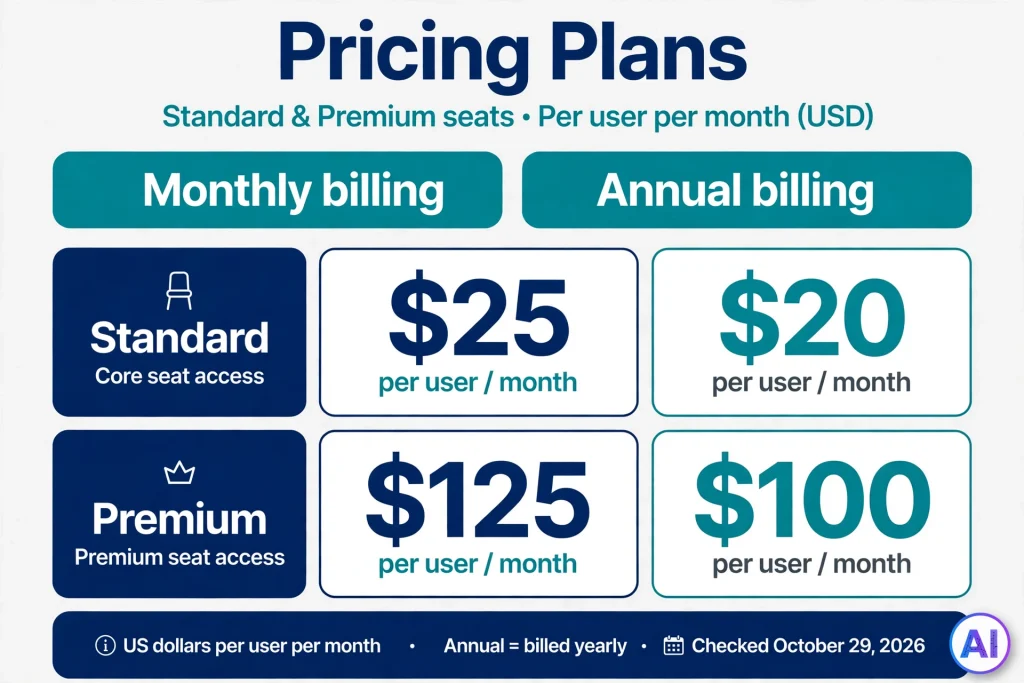
ChatGPT Business is OpenAI’s self-serve plan that gives a team one shared ChatGPT workspace, with an owner handling billing, seats, and permissions. It is the plan previously called ChatGPT Team, which OpenAI renamed on August 29, 2025. A Standard seat costs $25 per user per month on monthly billing, or $20 per user per month when billed annually, and a new workspace must start with at least two paid seats.
Prices, seat types, and limits for this product changed several times during 2026, so everything below was checked against OpenAI’s own pages on October 29, 2026. Treat the figures as a dated snapshot and confirm them at checkout, since tax and local currency can alter what you actually pay.
Table of Contents
What Is ChatGPT Business?
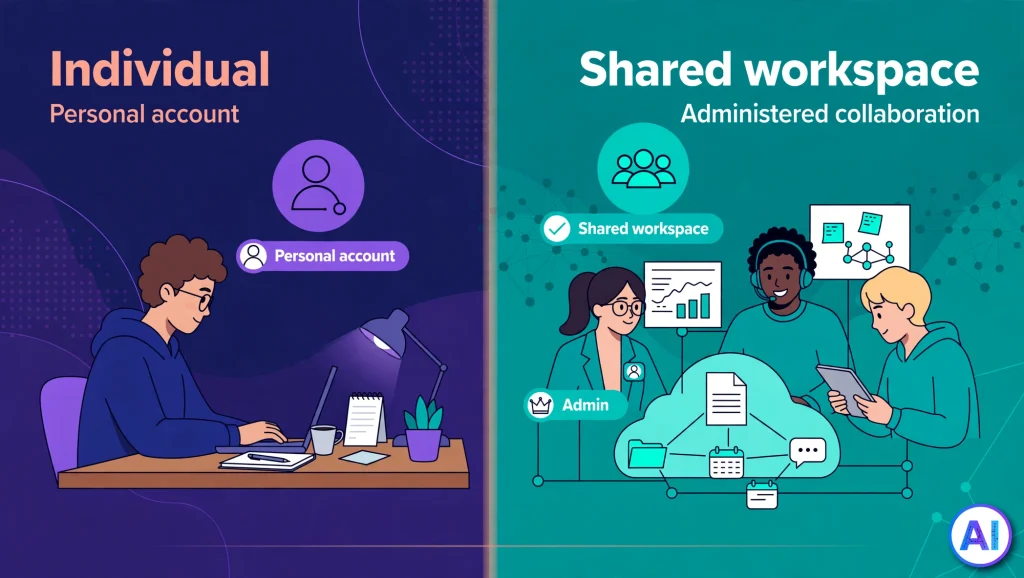
Think of the ChatGPT Business plan as a company-owned container around ChatGPT, a business AI workspace rather than a personal chat window. Rather than each employee buying a personal subscription and filing an expense report, an organization creates one workspace, buys seats, and invites people in. OpenAI’s workspace guide describes a workspace as its own environment with separate settings, members, and resources.
Three things separate it from a personal login:
- Ownership. The workspace and its payment method belong to the organization, not to one person’s account.
- Administration. Owners and admins manage members, roles, and seat assignments from a single place.
- Data terms. OpenAI says it won’t train its models on a Business workspace’s data.
Two boundaries are worth knowing at the start. First, a Business subscription does not include API usage; OpenAI bills the API separately. Second, Business is the self-serve tier. The sales-led option for larger or more regulated organizations is ChatGPT Enterprise, covered further down. If you are new to the technology underneath, our explainer on how ChatGPT works covers the basics.
Who Should Consider ChatGPT Business?
As a form of ChatGPT for teams, fit depends on team size, how often people really use the tool, budget, and how much control your security lead wants. A few realistic cases:
- A five-person design studio that keeps client briefs in a shared project and wants a custom GPT carrying its house style. Shared projects and workspace-shared GPTs are both listed on OpenAI’s plan comparison.
- A startup engineering team. Standard seats include Codex access, and extra capacity can be bought through workspace credits.
- A content or marketing team that needs deep research, file uploads, and image generation behind a single login and a single invoice. If that team publishes AI-assisted copy, our guide to ChatGPT detectors and their accuracy is worth a read.
- A consulting firm that wants ChatGPT to reach documents in tools like Google Drive or SharePoint through apps and company knowledge.
- A solo freelancer. Probably not. The two-seat minimum means paying for a second seat you may not use, so an individual plan is usually the simpler path.
Not every business needs this plan. If one person drafts the occasional email, a personal subscription is likely enough. Our breakdown of whether ChatGPT Plus is worth it can help you judge that.
ChatGPT Business Features: What Is Included?
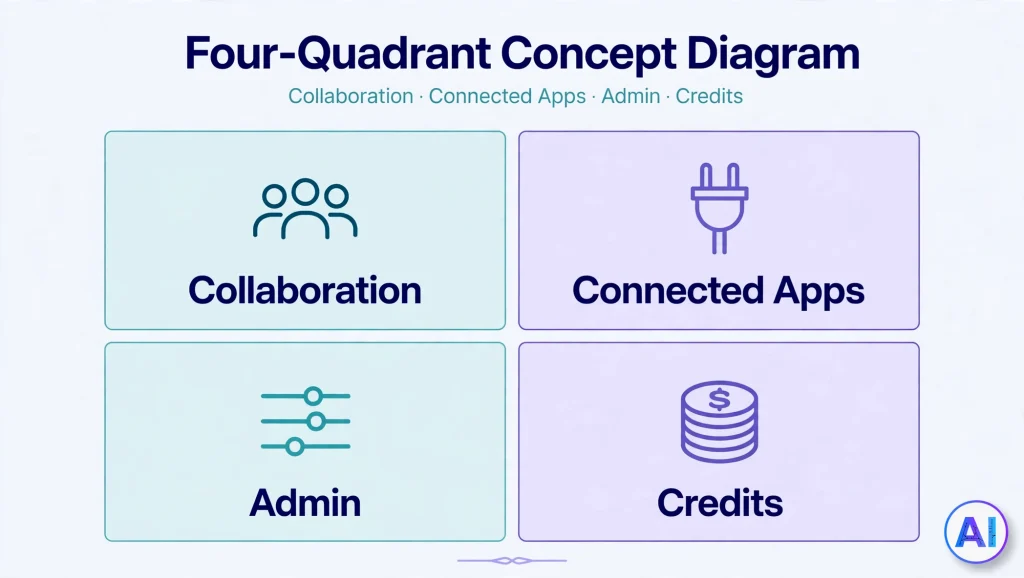
OpenAI publishes a long comparison table, and the Business column is the relevant one here. Rather than reciting it, these are the groups of features that matter in practice.
Shared Workspace and Collaboration
Standard seats include chat, search, canvas, data analysis, tasks, projects, and shared projects, the building blocks of team AI collaboration. Members can also build custom GPTs (if the term is new, here is what GPT stands for) and share them with the workspace, a capability the same table marks as unavailable on Plus.
Apps and Company Knowledge
OpenAI advertises 60-plus apps that bring tools such as Slack, Google Drive, SharePoint, GitHub, and Atlassian into ChatGPT, and lists company knowledge as included. What a connected app can reach depends on how your admin configures it, so treat access scope as a setup decision.
Admin and Security Controls
The Business column lists an admin console, bulk member management, admin roles, domain verification, unified billing, basic user analytics, SAML single sign-on, and a dedicated workspace.
Models, Usage, and Credits
On the current comparison page, the fast default model is shown as unlimited subject to abuse guardrails, while heavier reasoning and Pro-grade models are marked “flexible.” OpenAI’s footnote explains that Business and Enterprise can buy credits for more access. Credits are pooled across the workspace, purchased by the owner under billing settings, and valid for 12 months. Core features such as search, file upload, and canvas do not need credits.
Some entries are still marked “coming soon,” memory with past chats among them, so availability can differ by account and region.
How Much Does ChatGPT Business Cost?
ChatGPT Business pricing is per seat, and it comes in two seat types. OpenAI’s billing guide and Premium seats announcement give these figures in US dollars:
| Seat type | Monthly billing (per user, per month) | Annual billing (per user, per month, billed yearly) | What it adds |
|---|---|---|---|
| Standard | $25 | $20 | Core ChatGPT Business access with included usage limits |
| Premium | $125 | $100 | 5x the usage of Standard and no five-hour usage limit |
Read the annual column carefully. The $20 and $100 figures are monthly equivalents of a yearly commitment, not what you would pay month to month. A single Standard seat on annual billing totals $240 per year.
Rules That Affect Your Bill
- Two-seat minimum. A new workspace needs at least two paid seats, and you can mix Standard and Premium.
- Seat changes. Reducing seats takes effect at a future invoice, and OpenAI states that unused seats aren’t refundable once you commit to a count.
- Payment method. Self-serve Business accepts credit and debit cards only. Invoicing, purchase orders, and bank transfers require a contracted plan.
- Region and currency. OpenAI notes that prices vary by region and local currency, so the dollar amounts above may not match your checkout.
- Credits. Extra usage beyond included limits is optional and billed separately.
- Nonprofits. OpenAI’s pricing page mentions discounts of up to 75% through its nonprofit program, arranged by contacting sales.
- Older Codex-only seats. Some older pages still show them, but since June 24, 2026 they are no longer offered to new Business workspaces.
A Hypothetical Cost Example
Imagine a six-person marketing agency where one person runs heavy research and campaign analysis daily. The agency buys five Standard seats and one Premium seat. This is an illustration, not a typical result.
- Annual billing: (5 × $20) + $100 = $200 per month, or $2,400 per year.
- Monthly billing: (5 × $25) + $125 = $250 per month.
- For comparison, six personal Plus subscriptions at $20 each would be $120 per month, but with no shared workspace or admin controls.
How Do You Get Started With ChatGPT Business?
OpenAI’s sign-up article outlines the general flow. Interface labels and options can change, and they may differ by region.
- Start from the Business sign-up page and choose Standard or Premium seats. You must add at least two paid seats.
- Pick a billing schedule during checkout, monthly or annual, and set the number of seats.
- Pay by card. The person who completes the purchase becomes the workspace owner.
- Invite teammates by role and seat type from the workspace members settings.
- Review billing and credits. Owners can change seat counts in billing settings and, if needed, add credits and spending limits.
Before inviting everyone, decide who gets admin rights. Owners and admins approve invites, so a small written policy on roles saves cleanup later.
ChatGPT Business Privacy and Security: What Is Actually Promised
ChatGPT Business privacy rests on OpenAI’s published business commitments. Per its enterprise privacy page, OpenAI does not train on business data by default, you own your inputs and outputs where the law allows, and data is encrypted at rest with AES-256 and in transit with TLS 1.2 or higher. OpenAI also reports a completed SOC 2 audit. If you want to know who is behind the company holding your data, see our guide on who owns ChatGPT.
On the control side, the Business column lists SAML single sign-on, domain verification, and admin roles. OpenAI’s help page adds that a Business workspace is collaborative but chats are not automatically visible to other members. Members can still create share links, so your internal policy should say what may be shared.
Equally important are the things Business does not offer:
- Custom data retention policies are listed under Enterprise, not Business.
- OpenAI’s overview directs customers who need Zero Data Retention or Business Associate Agreements to a contracted offering.
- Enterprise-only controls include SCIM, enterprise key management, role-based access controls, IP allowlisting, and data residency.
No plan makes business data protection absolute, and none makes a workspace risk-free. A teammate can still paste something sensitive into a prompt or share a link too widely. If your organization faces strict regulation, read OpenAI’s current documentation and contract terms with your legal or compliance team before buying.
ChatGPT Business vs. Plus: What Actually Changes?
The ChatGPT Business vs Plus question is mostly about structure rather than raw ability. Both list projects, apps, deep research, canvas, and Codex. The differences sit around ownership and control, drawn from OpenAI’s comparison table and its Plus help article:
| Factor | ChatGPT Plus | ChatGPT Business |
|---|---|---|
| Intended user | One individual | Organizations and teams |
| Price | $20 per month, monthly billing | $25 monthly or $20 annual per Standard seat |
| Minimum purchase | One subscription | Two paid seats |
| Training on your content | Opt-out available | Not trained on by default |
| Dedicated workspace and admin console | No | Yes |
| SAML single sign-on | No | Yes |
| Company knowledge | No | Yes |
| Share custom GPTs with a workspace | No | Yes |
An annual Standard seat costs the same $20 as a Plus subscription, so the real question is whether the shared workspace, admin tools, and data terms are worth the commitment of two seats. For heavy individual use, our review of ChatGPT Pro covers the personal high-usage plans, while a Premium seat is the workplace counterpart.
ChatGPT Business vs. ChatGPT Enterprise
Enterprise is not simply a bigger Business plan; it solves different problems. OpenAI lists these Enterprise additions: SCIM provisioning, enterprise key management, user analytics, role-based access controls, IP allowlisting, compliance logging, custom data retention, data residency across ten regions, 24/7 priority support, SLAs, custom legal terms, and invoicing with volume discounts. Pricing is custom and requires contacting sales.
A growing team may outgrow Business when:
- Finance insists on invoices, purchase orders, or net payment terms.
- Security requires automated user provisioning, key control, or IP restrictions.
- Contracts demand data residency, retention control, or regulated-data agreements.
- Seat counts approach the per-purchase limit in OpenAI’s billing documentation. The stated figure has varied between pages, so confirm the current number.
Neither plan is universally better. A twelve-person agency that needs none of those controls gains little from Enterprise’s sales process, while a regulated firm may find Business too limited from day one.
Is ChatGPT Business Worth It?
Worth depends on whether you need what the plan adds, not on the sticker price. It tends to make sense when several colleagues already use ChatGPT, when company data is being pasted into personal accounts, or when someone needs central control of access and billing. It tends not to make sense for one person with light use, or for a team whose compliance rules require contract terms Business does not provide.
One practical method: start everyone on Standard seats, watch who reaches limits, and upgrade only those people to Premium. Because Premium costs five times Standard and offers five times the usage, it pays off mainly for people who hit limits constantly rather than occasionally.
Limitations to Know Before You Buy
- Standard access requires at least two paid seats.
- Self-serve billing is card-only.
- “Unlimited” is subject to abuse guardrails, and heavier models may draw on credits.
- Seat reductions apply at future renewals, with no refunds for unused seats.
- Some features are marked “coming soon” and may vary by account or region.
- A ChatGPT subscription and the API are separate products with separate billing.
- Several security and compliance controls are reserved for Enterprise.
ChatGPT Business FAQ
Is ChatGPT Business the same as ChatGPT Team?
Yes. OpenAI renamed ChatGPT Team to ChatGPT Business on August 29, 2025.
How much does ChatGPT Business cost per user?
Standard seats are $25 per user per month billed monthly, or $20 per user per month billed annually. Premium seats are $125 monthly or $100 per month billed annually. Regional pricing and taxes may differ.
How many seats are required?
A new workspace needs at least two paid seats.
Does ChatGPT Business use my data for training?
OpenAI states it does not train on workspace data by default.
Does ChatGPT Business include API access?
No. API usage is billed separately, and API credits do not transfer into a Business workspace.
Can I mix Standard and Premium seats?
Yes. OpenAI says both seat types can share one workspace and be reassigned as needs change.
Is ChatGPT Business suitable for regulated health data?
Do not assume so. OpenAI points organizations needing Business Associate Agreements to a contracted offering, so consult your compliance team and OpenAI.
Conclusion
ChatGPT Business suits small and mid-sized teams that want shared projects, central billing, admin controls, and business data terms without a sales process. It is a poor match for a lone user, and it stops short of the controls regulated organizations expect from Enterprise. Match the plan to your actual workflows, begin with Standard seats, and re-check OpenAI’s pages before you buy.
Sources and References
Official OpenAI sources (all used for factual claims):
- What is ChatGPT Business? https://help.openai.com/en/articles/8792828-what-is-chatgpt-business
- Managing billing and seats in ChatGPT Business: https://help.openai.com/en/articles/8792536-managing-billing-and-seats-in-chatgpt-business
- Premium seats are coming to ChatGPT Business (OpenAI, August 10, 2026; updated August 25, 2026): https://openai.com/index/premium-seats-chatgpt-business/
- ChatGPT plans and feature comparison: https://chatgpt.com/pricing/
- OpenAI Business pricing: https://openai.com/business/pricing/
- Sign up for ChatGPT Business: https://help.openai.com/en/articles/8980713-sign-up-for-chatgpt-business
- Managing members, seat types, and roles in ChatGPT Business: https://help.openai.com/en/articles/8798577
- Managing data, sharing, and privacy in ChatGPT Business: https://help.openai.com/en/articles/8798634-managing-data-sharing-and-privacy-in-chatgpt-business
- Enterprise privacy at OpenAI (updated January 8, 2026): https://openai.com/enterprise-privacy/
- Flexible pricing for the Enterprise, Edu, and Business plans: https://help.openai.com/en/articles/11487671
- ChatGPT Business: General FAQ: https://help.openai.com/en/articles/8798607
- What is ChatGPT Plus? https://help.openai.com/en/articles/6950777-what-is-chatgpt-plus