
A ChatGPT caricature is an exaggerated, illustrated portrait that ChatGPT draws from your written description, a reference photo, or both. You ask its image tool to inflate a few traits (a big grin, the tools of your trade, a legendary coffee habit), and it returns a cartoon-style picture you can keep reshaping through chat. No drawing skill is needed, and a photo is optional.
This guide covers the process step by step, eight original prompts, troubleshooting and privacy. Product details come from OpenAI’s documentation; anything that varies by account or plan is flagged.
Table of Contents
What Is a ChatGPT Caricature?
A caricature is a portrait that deliberately overstates distinctive features or habits for effect. A ChatGPT caricature reaches the same result through conversation: ChatGPT Images can create new pictures and edit existing ones from your instructions, and you can also upload a picture and describe the changes you want. openai
Related terms overlap. A cartoon portrait is a stylized likeness. A custom cartoon avatar is a small, profile-sized version. A caricature adds exaggeration and a story, so a teacher might be buried under cheerful mountains of graded papers. The prompt decides which one you get.
Why did the ChatGPT caricature trend spread?
News outlets reported the trend spreading across social media in early February 2026. The version that went viral asked ChatGPT to illustrate the user and their job using whatever it already knew about them from past chats. The results felt personal rather than generic, which is also why the privacy section below matters. We cannot verify who started the trend, so this guide claims no origin. arynewscroma
How Does ChatGPT Make a Caricature?
There are three common routes, and they feel quite different in practice.
Text only. You describe yourself or an invented character: hair, glasses, clothing, job, mood. No photo is required.
Caricature from a photo. You attach a reference image and ask ChatGPT to base the likeness on it. Coverage of OpenAI’s September 2026 release says the model keeps recognizable features more reliably; treat that as a vendor claim, not a guarantee. jopr
Memory-assisted. If memory is on, ChatGPT can draw on saved memories and, depending on your settings, past chats, so a short request to illustrate you and your job will reflect that history. openai
The same prompt can give different pictures on different runs, so plan on at least one round of follow-ups.
What You Need Before You Start
- A ChatGPT account. OpenAI says Images is available on all tiers, on web, iOS and Android. Free accounts have separate, stricter image limits than paid plans, and OpenAI notes that limits can change. openaiopenai
- Optional: a reference photo. Choose a clear, front-facing shot with only you in the frame.
- Three or four traits to exaggerate. A smile, an accessory, a workplace prop.
- A decision about memory. For a result based only on your prompt, use a Temporary Chat.
If you are weighing a paid plan for heavier image use, see our guides on whether ChatGPT Plus is worth it and whether ChatGPT Pro is worth it. Allowances change, so check OpenAI’s pricing page before paying.
How to Create a ChatGPT Caricature Step by Step
- Open a new chat on the website or in the iOS or Android app. Choose Temporary Chat to keep memory out of it.
- Pick your starting point. Ask in the conversation, or open the sidebar and choose Images.
- Add a reference photo if you want one, and say what it is for: likeness, outfit, or both.
- Paste a structured prompt. Use one of the examples below and replace every bracketed detail.
- Wait for the result. OpenAI says generation can take a few minutes, and you can keep using ChatGPT meanwhile. openai
- Judge the first draft. Check likeness, exaggeration, props and background.
- Refine in plain language. Request one or two changes at a time.
- Save the final image. Creations are stored in your Images library and can be downloaded from the image controls. openai
How to Write an Effective ChatGPT Caricature Prompt
A good AI image prompt is specific about a few things and silent about the rest. This five-part checklist keeps a ChatGPT caricature prompt focused:
- Subject. Who is this? Say “the person in the attached photo” or describe hair, glasses and clothing.
- Exaggeration. Choose two or three things to inflate: a smile, an accessory, a habit. Ten exaggerations create visual noise.
- Surroundings. Add a setting and a handful of props that tell the story of the job or hobby.
- Style. Name a look: newspaper ink lines, watercolor, flat vector, retro poster, comic strip, soft 3D.
- Boundaries. State what to keep realistic, the mood, the framing, and anything to avoid. You can also include the aspect ratio in the prompt or choose it with the aspect ratio picker. openai
Describe what you want rather than what you don’t, and when you upload a photo, say what must stay recognizable, such as face shape or glasses, so exaggeration lands on props and expression.
8 Original ChatGPT Caricature Prompts to Copy
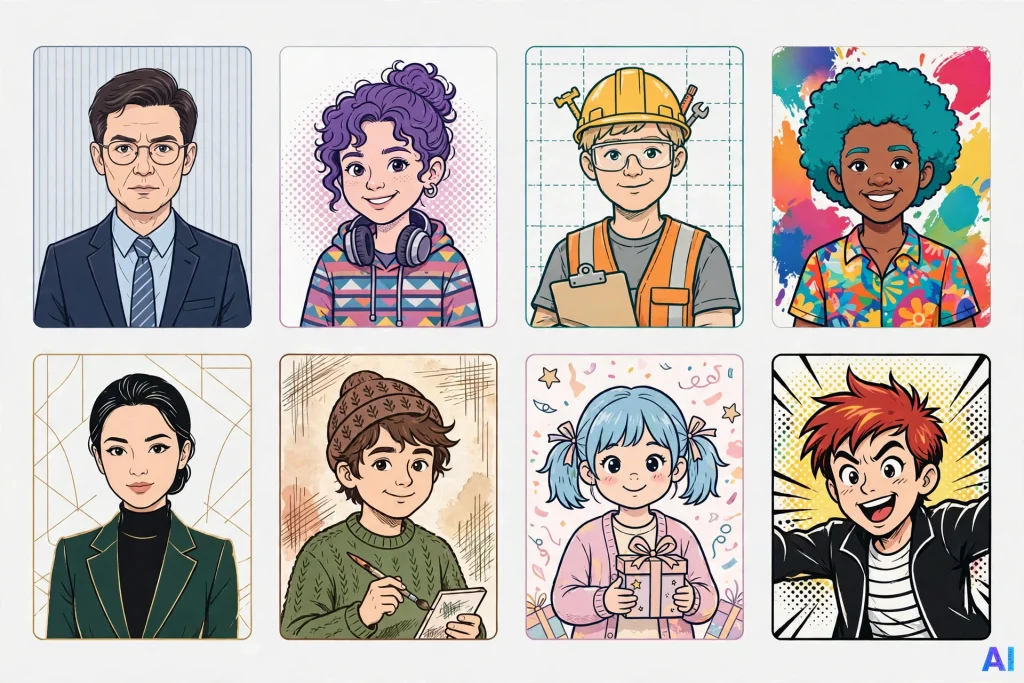
Replace anything in [brackets]. Each ChatGPT caricature prompt below is a flexible starting point, not a guarantee, and results will vary from run to run.
1. Friendly professional caricature
Create a warm, friendly caricature of me, using the attached photo for likeness. Show me as a [job title] at my desk with a slightly oversized head, an approachable grin, and two or three oversized tools of my trade. Soft pastel colors, clean linework, light neutral background, shoulders-up framing. Keep it flattering and suitable for a company newsletter.
Why it works: It names an audience, which steers tone, and it limits exaggeration to a few objects. Customize it: Swap “company newsletter” for “conference badge” or “team farewell card.”
2. Playful social-media avatar
Turn me into a playful, square social-media avatar based on the attached photo. Big expressive eyes, a confident half-smile, and my signature [glasses / hat / hairstyle] drawn slightly larger than life. Bold flat colors, thick outlines, one solid-color background, centered face, no text. It must stay readable at thumbnail size.
Why it works: Naming the thumbnail constraint pushes ChatGPT toward bold shapes. Customize it: Name a background color.
3. A caricature of a person in their profession (no photo needed)
Draw a caricature of me, described here so no photo is required: a [profession] in my [age range] with [hair description] and [glasses or accessory]. Exaggerate the three things that define my job: [item 1], [item 2], [item 3]. Put a busy but cheerful workplace behind me, in a newspaper-cartoon style with crisp ink lines and muted watercolor shading.
Why it works: A text-only request works, and three named items give a clear story. Customize it: Swap in a home office, workshop or classroom.
4. Colorful cartoon-style portrait
Create a vibrant cartoon portrait of me from the reference photo. Use saturated jewel tones, rounded shapes, and a gentle exaggeration of my smile and eyebrows. Float simple confetti-like shapes in a gradient backdrop. Keep proportions mostly realistic so friends recognize me immediately.
Why it works: The final sentence caps the exaggeration. Customize it: Ask for sunset oranges or ocean blues.
5. Clean, polished profile image
Make a polished profile-picture caricature from my attached photo: head and shoulders, subtle exaggeration limited to my hairstyle and smile, smooth digital-illustration shading, plain light-gray background, no props and no text. I want something I could use on a professional networking profile.
Why it works: Limiting exaggeration to two features keeps it tidy. Customize it: Check the platform’s profile-photo rules first.
6. Hobby-themed caricature
Draw a caricature of me as a weekend [hobby] enthusiast. Use my photo for likeness and show me mid-activity with oversized [gear], a delighted expression, and one tiny detail only fans of the hobby would spot: [detail]. Hand-painted gouache look, warm afternoon light, wide landscape composition.
Why it works: Insider details make it specific. Customize it: Keep the style line and change the hobby to build a series.
7. Personalized gift concept
Create a caricature to give as a birthday gift to [recipient’s name]. Use the supplied photo, shared with their permission, and show them as the hero of their favorite pastime, [pastime], surrounded by three inside-joke objects: [object 1], [object 2], [object 3]. Retro poster style, bright colors, and a blank banner across the top for my own message.
Why it works: A blank banner avoids misspelled generated text. Customize it: Request portrait orientation for framing.
8. Humorous but respectful caricature
Make a good-natured caricature of me based on the attached photo, poking fun only at harmless habits: [habit 1] and [habit 2]. Exaggerate my props and surroundings more than my face, keep my features kind and recognizable, and avoid anything that mocks body shape, age, ethnicity or appearance. Light comic-strip style with cheerful colors.
Why it works: It moves the joke onto objects and behavior, which is both safer and usually funnier. Customize it: Ask for a speech bubble that you will fill in yourself.
How to Customize Your ChatGPT Caricature
Change one category at a time so you can tell which instruction improved your ChatGPT caricature.
Appearance. Say what to keep and what to adjust: “Keep my face shape and glasses; make the hair neater and the smile a little wider.”
Clothing and setting. Name the swap: “Replace the blazer with a lab coat and add a bookshelf behind me.”
Art style. Try newspaper ink, watercolor, flat vector, retro poster or soft 3D, and repeat the style line in follow-ups.
Format. OpenAI says you can generate images in any aspect ratio, using the picker or your prompt, and ChatGPT Images can also follow instructions for a transparent background. openai
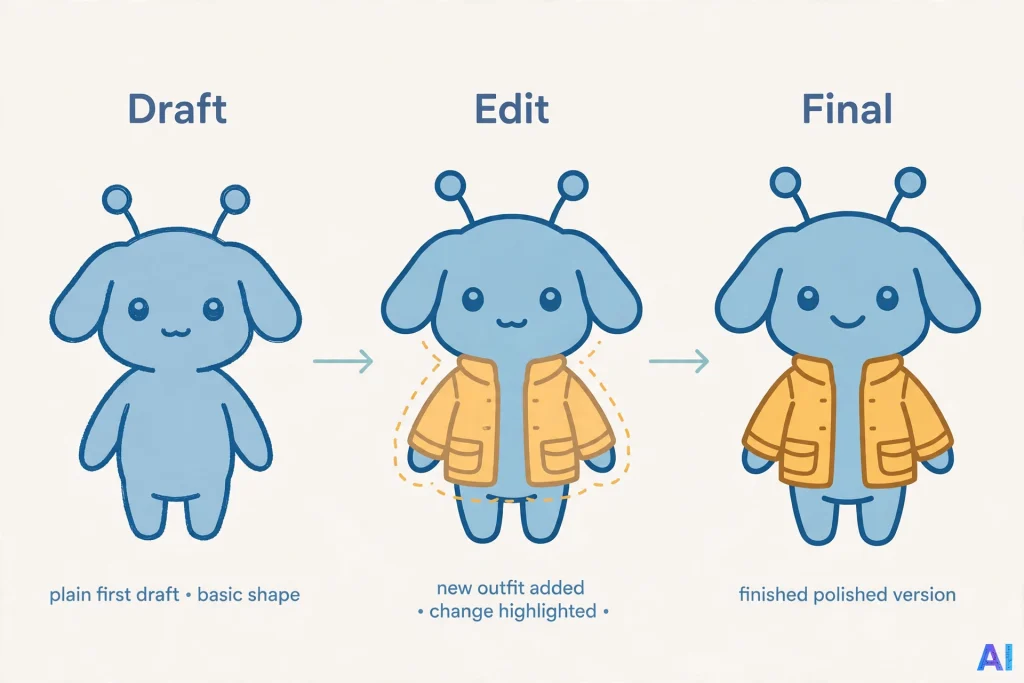
Targeted edits. In the editor you can highlight an area and describe the change. OpenAI warns that highlights are not always precise and edits may spill past the selection, so name the area in words too. openai
How to Fix a ChatGPT Caricature You Don’t Like
A disappointing ChatGPT caricature usually traces back to a prompt that asked for too much or described too little. Try these follow-ups.
| Problem | Likely cause | Follow-up to try |
|---|---|---|
| It does not look like me | Unclear photo or too many competing instructions | Upload a sharper, front-facing photo and say: “Keep my face shape, glasses and hairstyle. Exaggerate only the smile.” |
| The exaggeration feels harsh | The prompt asked for dramatic distortion | “Reduce the exaggeration by half and keep my features kind.” |
| The style drifts between edits | The style was not restated | Repeat the style line in your next instruction. |
| Text is misspelled | Long wording | Use a few short words, or leave a blank banner and add text yourself. |
| An edit changed the wrong area | The selection was imprecise | Describe the area in words: “Change only the shirt color.” |
Common Mistakes to Avoid
The usual slip-ups: stacking ten exaggerations in one prompt, using vague style words like “make it cool,” expecting identical results, and uploading crowded or sensitive photos.
Is It Safe to Upload a Photo for a ChatGPT Caricature?
There is no one-size answer, because the outcome depends on your account type and settings. OpenAI says that when “Improve the model for everyone” is enabled, it may use eligible content to improve its models, and you can switch the setting off under Settings > Data controls. Temporary chats are not used for model improvement while they stay temporary, and by default OpenAI does not use inputs or outputs from ChatGPT Business, Enterprise or Edu for training. openaiopenai
Memory adds another layer. When it is on, ChatGPT can reference saved memories and past chats, and deleting a chat does not remove a saved memory created from it. openaiopenai
Security specialists quoted in February 2026 coverage of the ChatGPT caricature craze warned that a photo combined with your job and employer can hand fraudsters material for impersonation. Euronews also reported that OpenAI may retain some information after deletion for fraud, abuse and security reasons. We cannot promise how any specific image is stored, so read OpenAI’s current privacy information first. thedailystareuronews
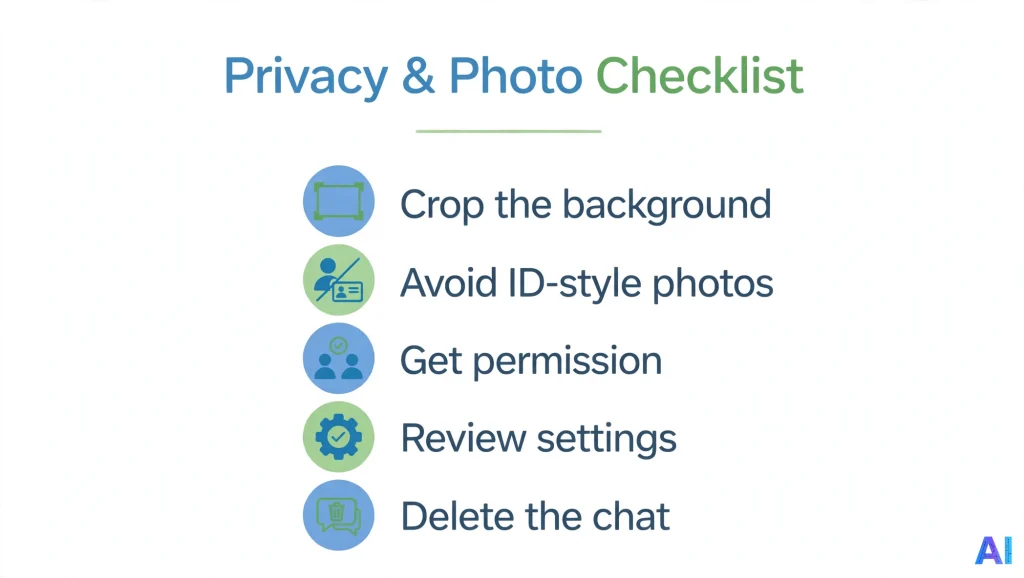
A practical checklist:
- Crop out backgrounds, badges, documents and other people.
- Skip high-resolution ID-style photos.
- Get permission before uploading someone else’s picture, and take extra care with children’s photos.
- Review your data controls and memory settings first.
- Delete the conversation to remove an image from your Images library. openai
OpenAI also says it uses C2PA metadata and invisible watermarking to help identify images made with its tools. openai
Access, Limits and What May Change
OpenAI released ChatGPT Images 2.5 on September 8, 2026, and its help documentation describes Images as available on all tiers. Free accounts have separate image limits; the pages we reviewed give no fixed daily number, so expect a notice when you hit a cap. An “Images with thinking” option is listed for Plus, Pro and Business, and tools such as templates or mobile Sketch may vary by plan or platform. Confirm details inside the app before relying on them. introducing chatgpt images 2 5 +2
ChatGPT Caricature FAQ
What is a ChatGPT caricature?
It is a playfully exaggerated portrait of you, or an invented character, drawn by ChatGPT’s image tool.
Is a ChatGPT caricature free?
Images is available on all tiers, but free accounts face stricter limits than paid plans, and those limits can change.
Do I need to upload a photo?
No. Describing your appearance and job in text works. A photo can improve likeness but adds privacy considerations.
What is the best ChatGPT caricature prompt?
No single prompt wins. Reliable ones name a subject, two or three exaggerations, a setting, a style and boundaries. Prompts 1 and 5 are good starting points.
Why does my ChatGPT caricature not look like me?
Usually the photo is unclear or the prompt is overloaded. Upload a sharper photo and name the features to preserve.
Can I make a caricature of someone else?
Only with their permission, and keep the tone kind. ChatGPT may decline some requests.
Is it safe to make a ChatGPT caricature from a photo?
It depends on your settings and what the photo shows. Use simple photos and check your data controls.
Conclusion
A ChatGPT caricature is a quick, creative way to turn a few traits into a shareable illustration. The recipe for a good ChatGPT caricature is simple: choose two or three things to exaggerate, describe the setting and style, add boundaries, and refine one change at a time. Use a photo only if the likeness matters, check your privacy settings first, and remember that limits and features can change. Start with one of the eight prompts above and keep the humor kind.
Sources and References
Official OpenAI documentation and announcements
- OpenAI Help Center, “Images in ChatGPT”: https://help.openai.com/en/articles/11084440-image-generation-in-chatgpt
- OpenAI, “Introducing ChatGPT Images 2.5” (September 8, 2026): https://openai.com/index/introducing-chatgpt-images-2-5/
- OpenAI Help Center, “ChatGPT Free Tier FAQ”: https://help.openai.com/en/articles/9275245-using-chatgpt-s-free-plan
- OpenAI Help Center, “How your data is used to improve model performance”: https://help.openai.com/en/articles/5722486-how-your-data-is-used-to-improve-model-performance
- OpenAI Help Center, “Memory FAQ”: https://help.openai.com/en/articles/8590148-memory-faq
Independent reporting
- ARY News, “ChatGPT caricature viral trend” (February 8, 2026): https://arynews.tv/chatgpt-caricature-viral-trend-try-these-prompts-to-create-animated-portraits
- Croma Unboxed, “ChatGPT caricature trend: How to create your own AI caricature”: https://www.croma.com/unboxed/chatgpt-caricature-trend-prompt-to-use
- Euronews, “ChatGPT’s AI caricature social media trend could be a gift to fraudsters, experts warn” (February 14, 2026): https://www.euronews.com/2026/02/14/chatgpts-ai-caricature-social-media-trend-could-be-a-gift-to-fraudsters-experts-warn
- Al Arabiya English, “AI expert warns against latest trend using ChatGPT to turn photos into caricatures” (February 10, 2026): https://english.alarabiya.net/News/world/2026/02/10/ai-expert-warns-against-latest-trend-using-chatgpt-to-turn-photos-into-caricatures
- The Daily Star, “AI caricature trend: is it safe?”: https://www.thedailystar.net/tech-startup/news/ai-caricature-trend-it-safe-4112941
- JOPR, “OpenAI launches ChatGPT Images 2.5 with faster generation and precise editing” (secondary coverage of the reference-photo claim): https://jopr.org/news/detail/openai-launches-chatgpt-images-25